AI Tools for Research: Citation Integration Tips
AI tools are transforming how researchers manage citations, making tasks faster and more accurate. Tools like Sourcely simplify finding, organizing, and formatting sources by analyzing your writing, recommending relevant research, and exporting citations in formats like APA or MLA. Features include:
- Source Recommendations: Paste your draft, and Sourcely suggests sources tailored to your content.
- Summaries and Filters: Quickly review papers with AI-created summaries and refine searches with advanced filters.
- Citation Exports: Export references in RIS or BibTeX formats for tools like Zotero or EndNote.
- Credibility Checks: Evaluate source reliability with AI-powered scoring.
How Sourcely Improves Research and Citation Workflows
Essay-Based Source Finding
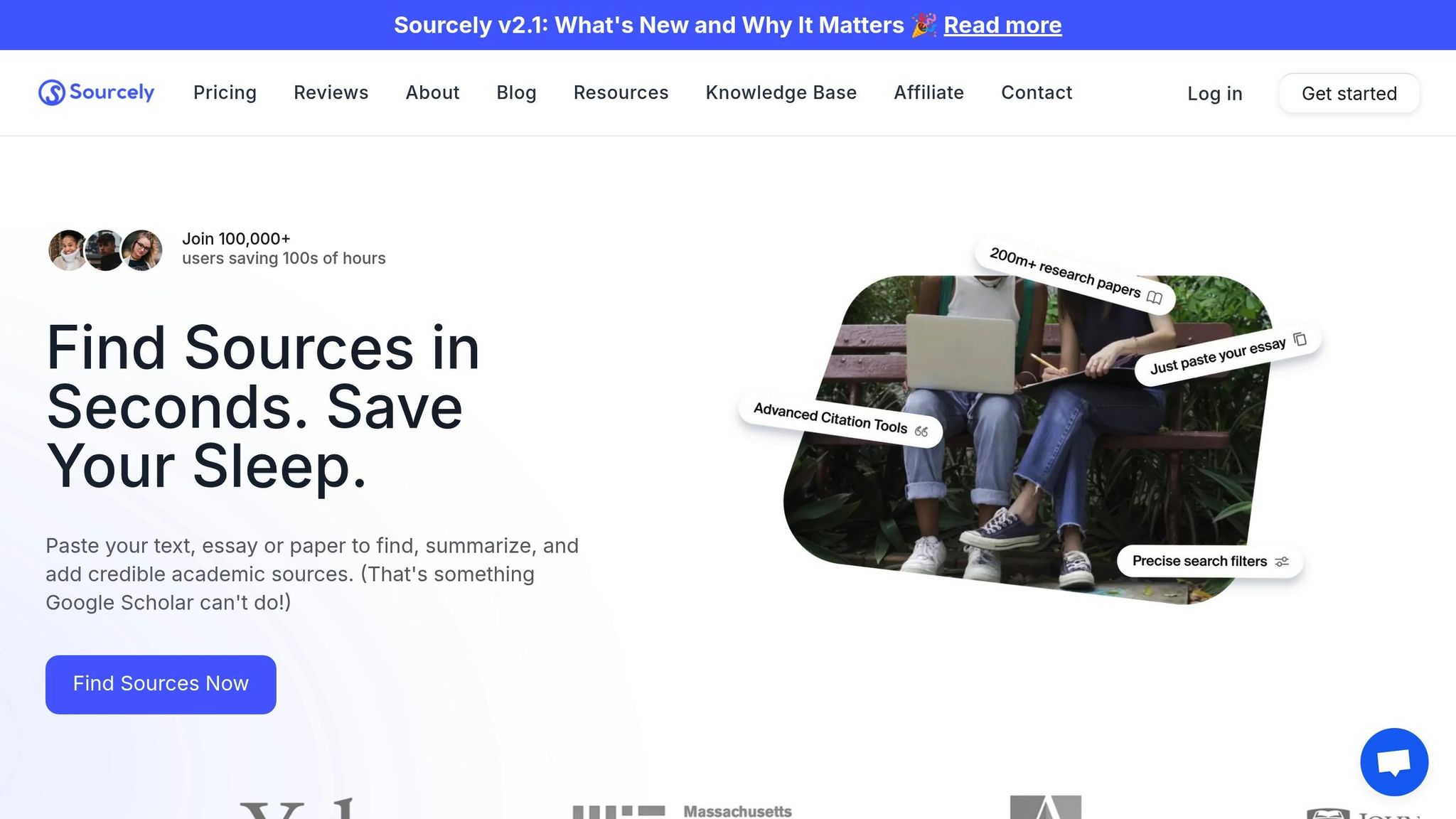
One of Sourcely's most useful features is its ability to analyze your essay and suggest relevant sources to back up your arguments. Simply paste your essay or research draft into the platform, and the AI will scan your text, understand its context, and recommend sources tailored to your needs.
Instead of spending hours finding sources first and then trying to make them fit your writing, you can focus on writing your essay and let the AI do the heavy lifting. Researchers often spend up to 20% of their time searching for information they’ve already gathered. Sourcely’s contextual matching helps cut down this time significantly, streamlining the literature review process.
Source Summaries and Search Filters
Sourcely uses natural language processing (NLP) to create concise summaries of academic papers, allowing you to quickly review dozens of potential sources in just minutes. With advanced search filters and a "Deep Search" feature, you can refine results by publication date, source type, or specific keywords, making it easier to pinpoint exactly what you need.
The platform also includes a Source Credibility Checker, which uses AI-powered scoring and rule-based checks to evaluate the reliability of sources. On top of that, Sourcely lets you download free PDFs of research papers directly, saving you from the hassle of navigating between databases or dealing with paywalls.
Exporting Citations in Multiple Formats
Once you’ve identified your sources, Sourcely simplifies the citation process. It supports exporting references in popular formats like RIS, BibTeX, and XML, which are compatible with major citation managers. Plus, its built-in Citation Format Converter lets you switch between APA, MLA, and Chicago styles in seconds - no need to retype anything manually.
For those handling multiple references, the batch export feature preserves key details like DOIs and publication dates, ensuring accuracy. Since Sourcely works seamlessly with existing citation managers, you can integrate it into your workflow without any disruption. These flexible options make it easy to scale up to Sourcely’s Pro plans as your needs grow.
Sourcely Pricing and Features
Sourcely offers a free trial for up to 300 characters, with Pro plans unlocking the full range of features for larger projects:
| Plan Type | Price | Character Limit |
|---|---|---|
| Free Trial | $0 | Up to 300 |
| Pro (One-time) | $7 | 2,000 |
| Pro (Monthly) | $17/month | Unlimited |
| Pro (Yearly) | $167/year | Unlimited |
| Pro (Lifetime) | $347 | Unlimited |
The $7 one-time plan is perfect for short assignments or single papers, while the monthly and yearly subscriptions are ideal for students juggling multiple projects. For graduate students or researchers working on long-term projects like dissertations, the lifetime plan offers excellent value, providing unlimited access without recurring fees.
6 AI Tools That Will 10× Your Research & Writing Productivity.
How to Integrate AI Tools with Citation Managers
How to Export AI-Generated Citations to Reference Managers
Sourcely simplifies source identification, but integrating these references into your citation manager takes it a step further. Here's how you can do it smoothly.
Exporting References to Citation Managers
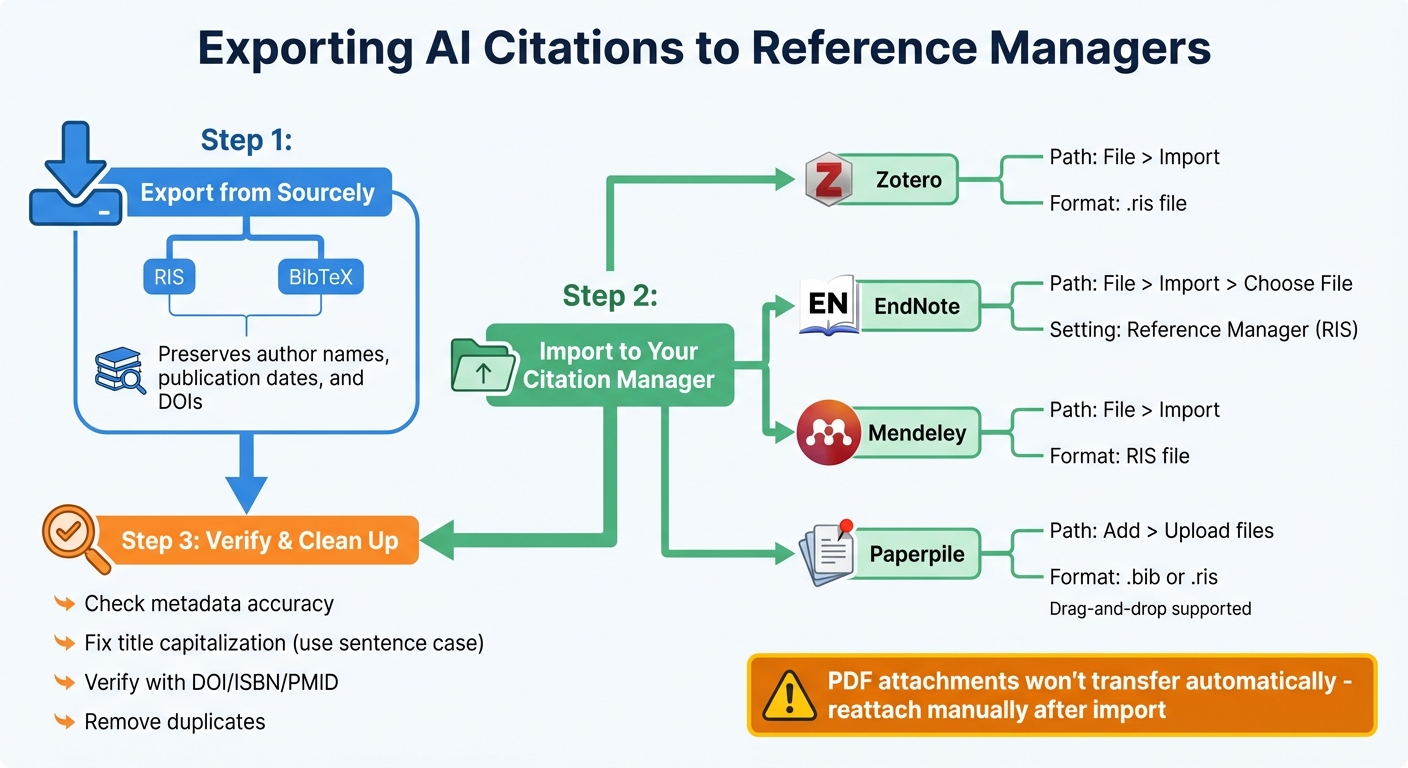
Sourcely allows you to export sources in RIS or BibTeX formats - both widely used for citation management. These formats ensure key details like author names, publication dates, and DOIs are preserved.
To import into popular citation tools:
- Zotero: Navigate to "File" > "Import" and select your downloaded
.risfile. - EndNote: Go to "File" > "Import", choose your file, and set "Import Option" to "Reference Manager (RIS)."
- Mendeley: Open "File", select "Import", and choose the "RIS file" option.
- Paperpile: Use "Add" > "Upload files" or simply drag and drop your
.risor.bibfile into the app.
| Citation Manager | Import Menu Path | Required Import Setting/Format |
|---|---|---|
| Zotero | File > Import | RIS or BibTeX |
| EndNote | File > Import > Choose File | Reference Manager (RIS) |
| Mendeley | File > Import | RIS file |
| Paperpile | Add > Upload files | .bib or .ris (supports drag-and-drop) |
Important Note: While metadata transfers seamlessly, PDF attachments won't move automatically between tools. You'll need to manually reattach PDFs after importing your references.
Once imported, take a moment to double-check the accuracy of your citations.
Checking AI-Suggested Citations
After importing, it's essential to review the metadata for accuracy. AI tools, while helpful, can sometimes misinterpret bibliographic details. Open your citation manager and inspect the "Info" or "Item Details" tab to confirm that titles, authors, and publication dates are correct. Common errors include missing authors, incorrect journal names, or titles formatted in all-caps.
Pay close attention to title capitalization. Citation managers generally work best when titles are stored in sentence case, as they can convert sentence case to title case when needed but struggle to do the reverse. For example, in Zotero, you can right-click the "Title" field and choose "Sentence case" or "Title Case" to align with your citation style.
For the most reliable metadata, rely on unique identifiers like DOI, ISBN, or PMID to verify records. If you have a standalone PDF without complete details, drag it into your library, then right-click and select "Create Parent Item" using a DOI to generate the full citation. After importing a large batch of references, use the "Duplicate Items" tool to merge duplicate entries, keeping the most complete version as your primary record.
Using Plugins or APIs for Automatic Sync
To make things even easier, take advantage of browser extensions and word processor plugins. For example, the Zotero Connector (compatible with Chrome, Firefox, Edge, and Safari) lets you save references directly from Sourcely's results page with just one click. The connector icon will change when a source is detected, making it easy to capture citations instantly.
For writing projects, plugins for tools like Microsoft Word, Google Docs, and LibreOffice allow you to insert citations directly from your library as you write. The first time you use a plugin in Google Docs, you’ll need to authorize it to access your account. To sync references across devices, go to "Edit" > "Preferences" > "Sync" in your citation manager and enter your credentials. If you later edit metadata in your library, simply hit the "Refresh" button in the word processor plugin to update all citations and the bibliography in your document.
For advanced users, many citation managers also offer APIs. These allow for custom, automated synchronization between Sourcely and your citation library.
sbb-itb-f7d34da
What to Consider When Using AI for Citation Management
AI tools can speed up the research process, but you need to evaluate them carefully before fully relying on them.
Checking Compatibility with Citation Managers
Make sure the AI tool you’re using can export data in formats that your citation manager supports, such as BibTeX, RTF, HTML, or CSL-JSON. If you’re working in LaTeX environments like Overleaf or TeXstudio, check that the tool offers proper BibTeX support.
Compatibility with word processors is equally important, especially if you’re collaborating with others who use different software, like Microsoft Word or LibreOffice. In these cases, it’s better to use "Bookmarks" instead of "Fields" to avoid issues with citation data when sharing documents. If you’re using writing tools like Scrivener that don’t have built-in citation plugins, look for tools that support "Scannable Cite" markers, which can later be converted into active citations.
Don’t Rely Only on AI Suggestions
AI tools can sometimes generate inaccurate or entirely fabricated citations. As noted by Johns Hopkins University's Sheridan Libraries, "GenAI tools are quite poor at giving correct citations. You will need to check them in scholarly sources such as library databases or Google Scholar". Even when an AI references a real paper, it might misinterpret the findings or pull claims out of context.
Always double-check AI-suggested citations by tracking them back to the original source. Search for the specific title or DOI in a trusted library database to ensure the source exists and is relevant. Purdue’s Online Writing Lab emphasizes this point, stating, "Writers should remember that citation generators cannot (and should not) do their thinking for them".
Keep in mind that many AI models have knowledge cutoffs. To find the most current research, include terms like "recent" or "latest" in your searches. These steps can help you ensure accuracy while complementing earlier recommendations for smooth integration.
Conclusion
By integrating AI tools like Sourcely with citation managers, you can streamline your entire research process - from finding credible sources to compiling a polished bibliography. Sourcely simplifies source discovery and credibility checks, while tools like Zotero handle organization and formatting, ensuring your final paper is both thorough and accurate. This powerful combination can save researchers up to 20% of the time they might otherwise spend re-locating information they’ve already gathered.
Automation doesn’t just save time - it boosts precision. With over 95% citation accuracy, automated tools eliminate tedious tasks like manual data entry by instantly generating bibliographies in more than 10,000 styles. Exporting Sourcely’s findings directly into a reference manager allows you to retain control over your work while the system takes care of the formatting details.
Beyond improving efficiency, modern AI tools are revolutionizing research by transforming static paper collections into dynamic, searchable libraries. These tools allow for natural language queries, helping you identify gaps in your research and verify citations with ease. It’s no longer just about collecting sources - AI enables you to create an interactive research environment that evolves with your questions and strengthens your overall analysis.
FAQs
How does Sourcely ensure the reliability of its sources?
Sourcely focuses on delivering reliable academic sources by utilizing advanced algorithms to sift through reputable databases, peer-reviewed journals, and respected publications. Every source is thoroughly reviewed to align with academic standards, giving you access to dependable references for your research.
On top of that, Sourcely offers summaries and citation export tools, making it easier to evaluate the relevance and quality of each source. This not only saves you time but also helps uphold the integrity of your academic work.
Can I use Sourcely with my citation manager?
Sourcely simplifies the process of integrating with well-known citation managers. You can export references in formats like RIS, BibTeX, EndNote XML, and CSV, making them compatible with tools such as Zotero, EndNote, and Mendeley. This streamlines your workflow, helping you manage citations and keep your research well-organized.
What should I verify after adding AI-generated citations to my research?
When using AI-generated citations, it's essential to verify their accuracy. AI tools can occasionally provide incorrect or even entirely fabricated references, so take the time to cross-check each one with trusted sources such as library databases or academic journals.
Make sure the cited material is real, aligns with your content, and is formatted correctly. This process safeguards the integrity of your research and helps you avoid issues stemming from unreliable or non-existent references.