
Best Platforms for AI-Powered Research Collaboration
AI-powered research tools are transforming how teams work by reducing inefficiencies and improving collaboration. This article reviews five platforms - Sourcely, Scispace, Semantic Scholar, Elicit, and Litmaps - each offering unique features for literature discovery, citation management, and team collaboration. Here’s a quick summary:
- Sourcely: Simplifies citation sourcing and offers affordable plans starting at $17/month.
- Scispace: Supports manuscript writing, literature reviews, and team collaboration with plans from $12/month.
- Semantic Scholar: Free tool with AI features like concise summaries and citation analysis.
- Elicit: Excels in large-scale data extraction with a focus on systematic reviews, starting at $10/month.
- Litmaps: Visualizes citation networks and offers a free tier, ideal for tracking research trends.
Quick Comparison
| Platform | Key Features | Collaboration | Pricing |
|---|---|---|---|
| Sourcely | Citation suggestions, source summaries | Basic sharing | $17/month |
| Scispace | Manuscript tools, AI Copilot | Team plans | $12/month+ |
| Semantic Scholar | Paper summaries, citation analysis | Public folders | Free |
| Elicit | Data extraction, systematic reviews | Real-time | $10/month+ |
| Litmaps | Citation maps, alerts | Shared spaces | Free/$ Pro |
Each tool caters to different needs, from individual research to large-scale team projects. Choose based on your workflow, budget, and collaboration requirements.

AI Research Collaboration Platforms Comparison: Features, Pricing & Capabilities
1. Sourcely

AI Capabilities
Sourcely uses AI to simplify the process of finding academic sources. By pasting your essay into the platform, the AI analyzes the content, highlights sections that need citations, and suggests relevant sources. It also provides concise summaries of research papers, helping you quickly determine if a source is worth exploring further. To refine your search, you can use advanced filters like publication date, source type, and relevance. With access to millions of sources from academic databases, Sourcely ensures you spend less time searching and more time writing.
Integration Options
Sourcely makes citation management seamless by supporting various reference export formats, ensuring compatibility with popular citation tools. Plus, you can download free PDFs of research papers directly through the platform, making it easy to organize and access your research materials in one place.
Pricing and Plans
Sourcely offers a free tier for students and researchers who need basic features. For those requiring more advanced tools, a one-time payment of $7.00 unlocks Sourcely Pro, allowing up to 2,000 characters for testing its capabilities. If you need unlimited access, there’s a subscription plan at $17.00 per month or $167.00 annually. For long-term users, the $347.00 lifetime "Believer" plan provides permanent access without ongoing fees.
Collaboration Features
Although Sourcely is primarily focused on individual research, it’s collaboration-friendly. Its export options make it simple to share lists of sources and citations with teammates, ensuring consistency for group projects and co-authored papers.
2. Scispace
AI Capabilities
SciSpace streamlines the research process with features that cover everything from manuscript writing to literature reviews and grant drafting. Its "Super Agent" and DeepReview mode refine queries and provide detailed execution reports, making research more transparent and efficient. The platform gives users access to metadata from over 280 million research papers, along with more than 50 million open-access full-text PDFs. It also supports research in over 75 languages.
One standout feature is the AI Copilot, which simplifies complex scientific concepts, equations, and methodologies as you read. Mushtaq Bilal, PhD, a researcher at Syddansk Universitet, highlights its value:
"SciSpace is an incredible (AI-powered) tool to help you understand research papers better. It can explain and elaborate most academic texts in simple words".
You can even save Copilot responses as notes, creating an annotation layer that helps you keep track of insights throughout your research journey.
Collaboration Features
SciSpace isn’t just for individual researchers - it’s designed to support teams too. The Teams plan includes administrative role management, allowing you to control user access and permissions within your group. You can upload entire folders of papers into a shared workspace and analyze them alongside the platform’s database of over 200 million papers. Search results and literature review tables can be exported in multiple formats like CSV, RIS, BIB, Excel, and XML, making it easy to share findings and maintain organized records. Team members can also "star" important papers to build a shared library and receive tailored recommendations for the group.
Integration Options
SciSpace integrates seamlessly with over 150 academic tools and databases. It pulls data from major repositories such as Semantic Scholar, OpenAlex, and various institutional databases. You can also import existing libraries from Zotero, centralizing your reference management. The platform offers a Chrome Extension and an iOS app for added convenience. Its SciSpace Agent connects various research tasks - like literature searches, manuscript drafting, and data visualization - into a single, continuous workflow.
These integrations work alongside flexible pricing plans to suit a range of needs.
Pricing and Plans
| Plan | Price | Credits/Month | Parallel Tasks | Key Features |
|---|---|---|---|---|
| Basic | $0 | 100 | 1 | Limited exports |
| Premium | $12/month (annual) | 1,200 | 2 | Unlimited exports |
| Advanced | $70/month (annual) | 5,500 | 4 | DeepReview mode access |
| Teams | From $8/user/month | Up to 5,500 | Up to 4 | Role management for admins |
| Enterprise | Custom pricing | Custom | Custom | Enhanced security, dedicated account management |
The Teams plan also includes discounted per-user pricing with centralized billing, making it a practical choice for labs or institutions.
3. Semantic Scholar
AI Capabilities
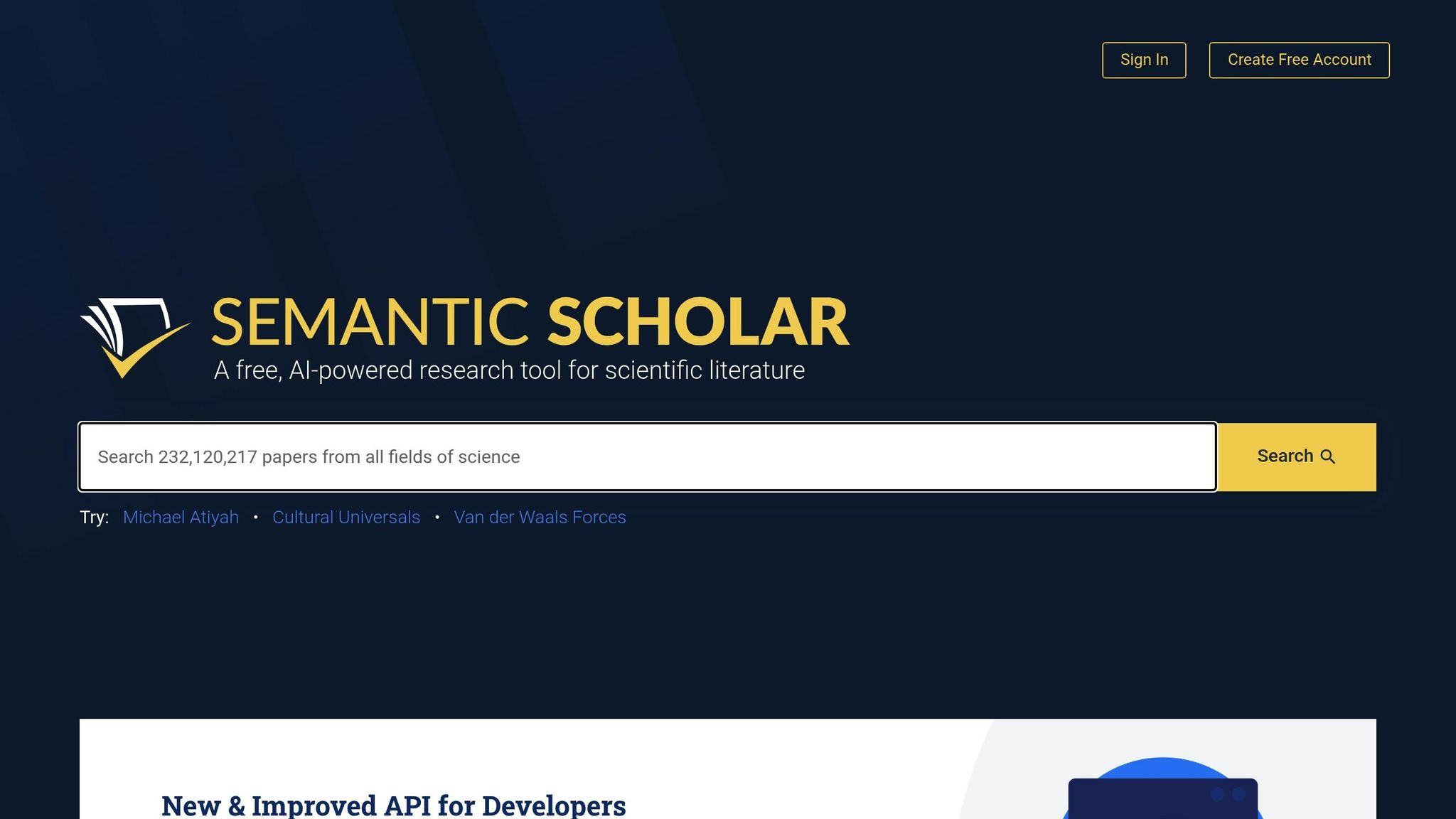
Semantic Scholar is a free, AI-driven research tool that indexes over 214 million scientific papers across various fields. It doesn't just store research; it uses AI to uncover meaning and highlight connections between studies, making it a powerful resource for researchers.
One standout feature is TLDR, which provides concise, one-sentence summaries for nearly 60 million papers in fields like computer science, biology, and medicine. This tool makes it easier for researchers to quickly determine if a paper is relevant. As Jordi Chanovas, a user of Semantic Scholar, puts it:
"TLDR uses AI to give a summarised version of publications which makes the decision of whether a publication is relevant or not to the field easier than ever".
Another feature, Ask This Paper, leverages GPT-3.5-turbo to answer specific questions about a paper by analyzing its text. The Semantic Reader enhances the reading experience with citation cards and AI-generated definitions for complex scientific terms. Additionally, the platform’s Highly Influential Citations feature uses machine learning to identify citations where the referenced work had a major impact, helping researchers prioritize what to read. These tools streamline the literature review process and foster better collaboration among research teams.
Collaboration Features
Semantic Scholar makes teamwork easier with public folders, allowing users to organize and share papers with collaborators. Team members can easily duplicate these shared folders into their own libraries with a single click. The platform’s Research Feeds feature takes collaboration further by recommending new, relevant papers based on the contents of shared folders. As users add more papers or mark certain ones as irrelevant, the recommendations become more tailored. To fine-tune these suggestions, it's recommended to add at least five relevant papers and mark three non-relevant ones for the AI to learn effectively.
Matthew Akamatsu, a frequent user, highlights the platform’s value:
"On my lab website, I link to my Semantic Scholar author page... because the TLDR and influential citations encourage understanding and impact, rather than just blindly counting up articles".
Integration Options
Semantic Scholar integrates seamlessly with Zotero through a browser extension, making it easy to save paper metadata, PDFs, and AI-generated TLDRs directly to your reference manager. Papers saved in Zotero can also be reopened in Semantic Reader for an enhanced, AI-supported reading experience. Additionally, the platform works with GetFTR and LibKey, giving users direct access to subscription-based articles via institutional affiliations. For citation management, it supports export formats like BibTeX, MLA, APA, Chicago, and EndNote.
For developers, the Semantic Scholar Academic Graph API and the S2ORC dataset (which includes over 10 million machine-readable documents) provide programmatic access to scholarly data, enabling custom integrations and advanced research applications.
Pricing and Plans
Semantic Scholar is entirely free to use - no subscription fees, no hidden costs. All AI-powered features, including TLDR summaries, Ask This Paper, Research Feeds, and the Semantic Reader, are available at no charge. Developers can also access the platform’s APIs for free, making it an accessible tool for both individual researchers and larger teams.
These 4 AI Tools Will Instantly Boost Your Research
sbb-itb-f7d34da
4. Elicit

Elicit sets itself apart with its ability to handle large-scale data extraction and automate workflows seamlessly. It taps into a massive database of 138 million academic papers and 545,000 clinical trials, using semantic AI to rank the top 1,000 papers based on meaning rather than just keywords. This approach uncovers papers often overlooked by traditional search methods.
The platform can analyze up to 1,000 papers simultaneously, extracting 20,000 data points in one go. In a 2025 validation study, the German organization VDI/VDE used Elicit for a systematic review to guide education policy. Impressively, the AI achieved a 99.4% accuracy rate, correctly extracting 1,502 out of 1,511 data points, and enabled the team to review 11 times more evidence compared to traditional methods. Similarly, Formation Bio utilized Elicit to process 1,600 papers for data extraction while working on a clinical asset for knee osteoarthritis, completing the task 10 times faster than manual methods.
Elicit introduced Research Agents in December 2025, which enhance workflows for exploring competitive landscapes and broad research topics. Additionally, the platform offers Elicit Alerts, allowing researchers to set up to 10 concurrent alerts (available on Pro and Team plans) to stay updated on new relevant papers without manually searching. All AI claims are backed by sentence-level citations.
Collaboration Features
Elicit goes beyond advanced search capabilities by streamlining collaborative research workflows. The Team plan supports real-time collaboration on Notebooks and Systematic Reviews, enabling multiple researchers to work together seamlessly. Team members share pooled report credits - 20 reports per user per month - and have access to an admin panel for tracking usage and managing seats. For example, Oxford PharmaGenesis, which advises 8 of the top 10 global pharmaceutical companies, used Elicit to review 500 papers across 40 different research questions, delivering literature reviews at scale.
The Elicit Library acts as an AI-driven reference manager, where users can organize papers into collections and tags, and even launch workflows directly from stored sources. Researchers have reported saving up to 80% of their time when using Elicit for systematic reviews.
Integration Options
Elicit integrates smoothly with tools researchers already use. It supports importing references and PDFs from platforms like Zotero, EndNote, and Mendeley. The Elicit Browser Agent further enhances functionality by enabling users to leverage institutional access to locate and import paywalled papers into their library. For exporting data, the platform offers multiple formats, including RIS, BIB, CSV, PDF, and DOCX. It also integrates search capabilities with major academic databases like PubMed and ClinicalTrials.gov, alongside its internal database.
Pricing and Plans
| Plan | Price (Annual Billing) | Key Features |
|---|---|---|
| Basic | Free | 2 reports/month, unlimited search/chat, 2 columns per table |
| Plus | $10/month | 4 reports/month, 5 columns per table, RIS/CSV/BIB exports |
| Pro | $42/month | 12 reports/month, Systematic Review workflow, 20 columns, 10 Alerts |
| Team | $65/month | 20 reports/month, real-time collaboration, figure extraction, 30 columns |
| Enterprise | Custom | 1,000 paper screening, co-branding, custom workflow development |
Annual billing offers savings ranging from 8% to 18%. The Pro plan includes the specialized Systematic Review Workflow, designed for rigorous evidence synthesis, while the Team plan adds advanced features like figure extraction and interpretation.
5. Litmaps

Litmaps stands out as a research platform that takes a visual spin on scholarly collaboration, powered by AI. It’s designed to help students, researchers, and policymakers worldwide connect the dots between academic papers in a way that’s both intuitive and insightful.
With over 270 million academic papers in its database, Litmaps uses citation-network algorithms to create dynamic visualizations. This makes it easier to identify key studies and spot gaps in existing research - an invaluable tool for anyone involved in academic work .
AI Capabilities
Litmaps uses AI to analyze citation networks, uncovering connections between references to highlight relevant literature. Its Monitor feature takes things a step further by automatically sending email alerts whenever new research within a chosen topic is published. This ensures users stay on top of the latest developments without constant manual searching.
Collaboration Features
The platform’s Teams feature is built for group research. It allows users to share workspaces, co-edit citation maps, and organize literature libraries in real time. Role-based permissions make it easy to manage access, with options like Admin, Editor, or Viewer. For educators, this tool is particularly useful, as it lets instructors review and guide student workspaces during literature reviews.
Integration Options
Litmaps integrates seamlessly with Zotero for Pro and Teams users. This connection simplifies the management of existing reference libraries and ensures smooth workflows, especially when paired with other writing tools. It’s a handy way to cut down on the repetitive tasks involved in citation management.
Pricing and Plans
Litmaps Teams offers flexible subscription plans, available on a monthly or annual per-seat basis. The free version provides basic search and mapping features, while the Pro version unlocks more advanced tools for deeper research. Students and academics can take advantage of an Educational License, which includes a generous 75% discount.
Pros and Cons
Here’s a quick look at the main advantages and drawbacks of each platform.
Each platform has its own strengths and limitations, making them suitable for different needs.
- Sourcely: This tool simplifies citation sourcing by scanning essays to identify where citations are needed. It’s priced competitively at $17 per month or $167 annually, making it a budget-friendly choice.
- Semantic Scholar: With access to a massive database of over 200 million papers for free, this platform is ideal for broad literature searches. However, it doesn’t offer advanced collaborative editing features, which may be a downside for team projects.
- Elicit: Known for its impressive 99.4% accuracy in data extraction, Elicit has been validated in a systematic review of 1,511 data points. It can handle analysis of up to 20,000 data points at once and can cut down the time needed for systematic reviews by up to 80%. That said, its pricing - $79 per user per month - might feel steep for some teams.
Conclusion
When choosing an AI research platform, consider your team size, budget, and workflow requirements. For individuals or small teams with limited funds, Sourcely's $17/month plan simplifies citation sourcing, while Semantic Scholar offers free access to over 214 million scientific papers for broad literature searches. If visualizing citation networks is a priority, Litmaps provides a free tier, making it an excellent choice for students and educators.
For larger teams tackling systematic reviews, Elicit stands out despite its $79 per user/month price tag. With a 99.4% extraction accuracy and the ability to analyze up to 20,000 data points, it can cut review times by up to 80%. This efficiency is a game-changer for research teams working under tight deadlines or managing complex evidence synthesis projects.
It's crucial to select tools that integrate seamlessly with your existing workflow. Mid-sized research groups, for instance, should ensure that new AI tools align with platforms like Microsoft 365 or Google Workspace. As Jorick van Weelie from DataNorth aptly puts it:
"The 'AI tool' of 2026 is less of a novelty and more of an infrastructure component".
If your team already uses Microsoft 365 or Google Workspace, start by exploring built-in AI features like Copilot or Gemini before investing in specialized platforms.
Adopting a multi-tool strategy can optimize various stages of the research process. Use Litmaps or Semantic Scholar for initial discovery, Sourcely for citation management, and Elicit for systematic data extraction. This approach ensures you invest only in the tools you need while maintaining academic standards.
Taking advantage of free tiers, such as Semantic Scholar and Sourcely's basic plan, offers a low-risk way to integrate AI into your workflow. Starting with free tools for search and citation management allows you to refine your processes before upgrading to paid subscriptions. As Achievers insightfully point out:
"The real question isn't 'What's the most powerful tool?' but 'What helps your people work better together?'".
FAQs
How can AI-powered platforms improve research collaboration?
AI-powered platforms make research collaboration smoother by bringing all team resources - like papers, notes, and highlights - into one centralized, searchable space. This setup helps teams quickly locate critical information, create concise summaries, and identify connections within their shared library. The result? Less time wasted and fewer repetitive tasks.
These tools also improve teamwork with features like real-time commenting, collaborative editing, and automated functionalities such as citation generation and literature sourcing. Take Sourcely, for instance - it can match draft content with relevant scholarly sources, download PDFs, and export citations, cutting out tedious manual steps. By speeding up workflows and keeping everyone on the same page, AI turns research into a more efficient and genuinely collaborative effort.
How do the AI features of these platforms differ for research collaboration?
The AI capabilities of research collaboration platforms differ depending on the tasks they aim to simplify and the areas they target. For instance, tools like Sourcely excel in literature discovery and citation management, helping users locate relevant academic sources, create summaries, and export references in various formats. On the other hand, some platforms focus on aspects like writing support, team collaboration, or analyzing data.
Take writing-focused tools as an example - they often offer features like AI-generated text suggestions or automated citation insertion to make the writing process smoother. Meanwhile, platforms centered on team collaboration provide shared workspaces, commenting features, and seamless integration with reference management tools. Then there are those designed for evidence synthesis, which use AI to comb through extensive datasets or research libraries, bringing critical insights to the forefront.
Because these platforms serve different purposes, it’s crucial to pick one that matches your specific research goals - whether that’s finding reliable sources, automating writing tasks, or fostering better teamwork.
What is the most budget-friendly platform for researchers?
For researchers working within a limited budget, Sourcely stands out as an impressive option. Its free plan comes packed with essential AI-driven tools, including source searching, citation insertion, and PDF downloads. These features offer students and academics a solid foundation for their research without any cost.
For those requiring more advanced tools - like unlimited searches across essays, enhanced AI assistance, and access to a vast library of research papers - Sourcely offers affordable monthly or yearly plans. These upgrades provide expanded functionality without straining your budget, making it a smart choice for researchers aiming to simplify and enhance their workflow.