Checklist for Finding Theses in Repositories
Finding theses and dissertations doesn't have to be overwhelming. Here's a quick guide to streamline your search:
- Start with Aggregators: Use platforms like NDLTD (4.9M+ theses), OATD (4.4M+ theses), and ProQuest (2M+ citations since 1861) for broad access.
- Define Your Scope: Identify the type of thesis (doctoral, master’s, etc.), timeframe, and focus (e.g., literature review or methodology).
- Use Keywords Effectively: Combine terms with
AND,OR, and truncation (*) for precise results. - Leverage Advanced Search Tools: Apply filters by institution, date, or subject for targeted searches.
- Check Open Access Options: Explore university repositories or tools like WorldCat for free resources.
- Handle Embargoes: Contact authors, use interlibrary loans, or check embargo release dates for restricted works.
- Try AI Tools: Platforms like Sourcely simplify searches with semantic algorithms and citation exports.
With these steps, you can efficiently locate the theses you need, saving time and effort.
Over 500 000 free PhD Thesis and Master's dissertation examples | Any discipline | Thesis writing
sbb-itb-f7d34da
Preparation Steps Before Searching
Setting up a clear plan before diving into your repository search can save you a lot of time and help you avoid sifting through irrelevant results. By organizing your approach, you'll ensure you're searching in the right places with the right terms. Start by defining the scope of your research and the type of document you're looking for.
Define Your Research Scope
First, pinpoint the type of document you need - whether it's a doctoral dissertation, a master's thesis, or an undergraduate honors thesis. You might also need to filter your search by specific universities or departments .
"Find out whether the document desired is a dissertation, a master's thesis, or an undergraduate (usually honors) thesis. Different types require different search strategies."
The timeframe of the work is also important. Theses completed after 2007 are often "digitally-born", meaning they are easier to locate online. On the other hand, older works, especially those produced before 2002 or 2007, may only be available in print or on microfilm . Additionally, think about what you're hoping to find - are you looking for original research, a detailed literature review, or an extensive bibliography? Theses can often serve any of these purposes.
Identify Keywords and Synonyms
A strong keyword list can make or break your search. Look at the "Subject" and "Author-supplied keywords" fields in databases to identify the terminology commonly used. Use truncation (e.g., adding an asterisk * to a word root like "biolog*" to find biology, biological, and biologist) to capture different variations of a term. Combine related terms with the OR operator (e.g., "adolescents OR teenagers") to broaden your search, and use the AND operator to combine different concepts for more specific results. If your research focuses on a particular methodology, include terms like "qualitative", "case study", or "longitudinal" to narrow your results.
You can also use AI tools to find academic sources to streamline this process. Once your keywords are ready, make sure your access to library resources is set up correctly.
Ensure Access to Library Resources
Before you begin searching, confirm your institution provides full-text access to databases like ProQuest. Connecting through your university's VPN ensures you can access subscription-based resources. Log into your library account to verify that your permissions are active . Always start your search from your university library's official website to activate "Find It" links and full-text options . If you hit a paywall for something your institution should provide, reach out to your library's reference staff - they can often resolve access issues quickly .
Step-by-Step Checklist for Locating Theses
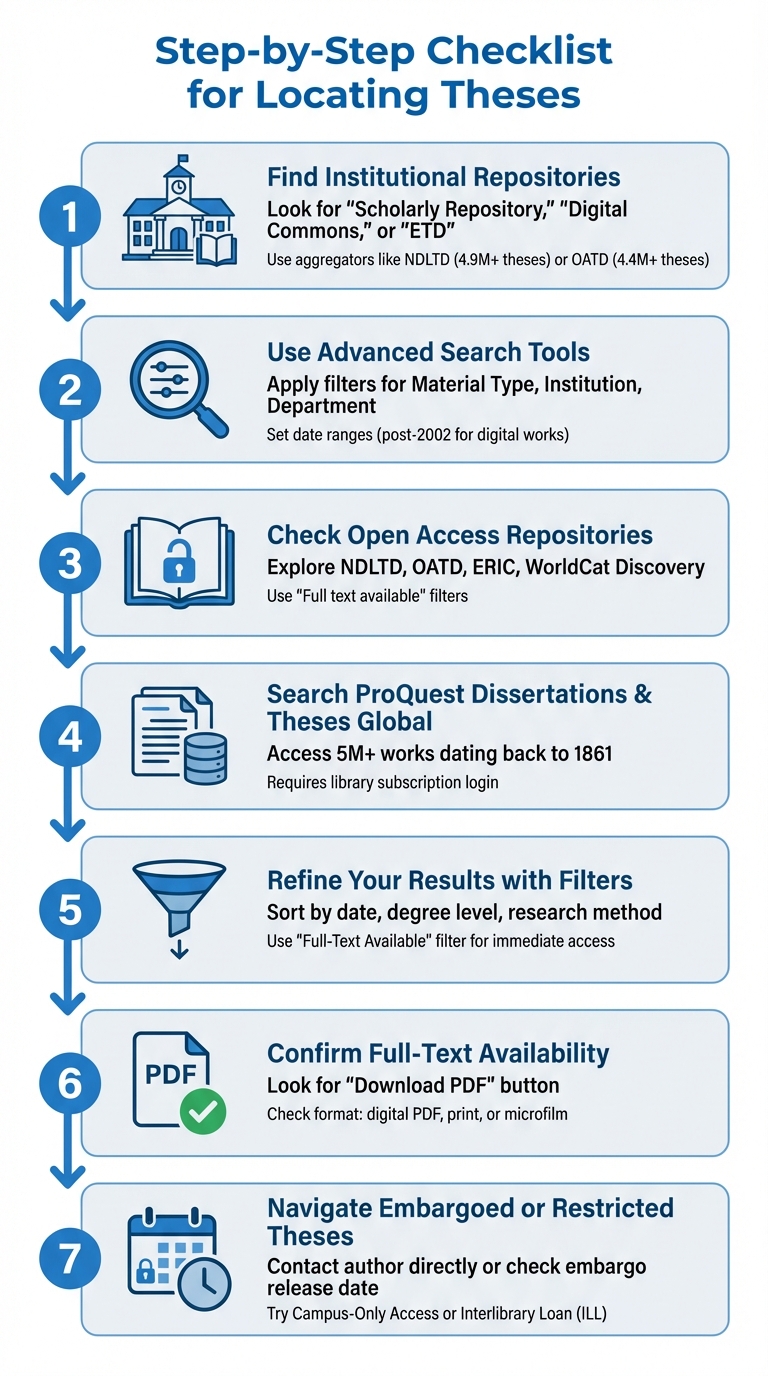
7-Step Process for Finding Theses in Digital Repositories
Here’s a streamlined guide to help you efficiently find theses and dissertations. Mastering these study hacks can further streamline your academic research process.
Step 1: Find Institutional Repositories
Most theses are housed within the university that awarded the degree. Start by visiting the university's website or library homepage. Look for keywords like "Scholarly Repository", "Digital Commons," or "Electronic Theses and Dissertations (ETD)." These repositories are usually accessible online and free to use. If you can’t locate it through a basic search, check the library’s main page - there’s often a direct link to their digital collections.
For broader searches across multiple universities, aggregator platforms like the Networked Digital Library of Theses and Dissertations (NDLTD) and Open Access Theses and Dissertations (OATD) can save time.
Step 2: Use Advanced Search Tools
Once inside a repository or library catalog, switch to "Advanced Search" for better precision. Use filters like "Material Type", "Format," or "Publication Type" to narrow results to dissertations or theses, eliminating books and articles. Search by specific fields such as author, title, institution, department, or subject for more targeted results.
If you’re looking for recent research, set a date range starting after 2002 - this is when many universities transitioned to digital submissions. For older works, focus on specific time periods (e.g., 1969–1980). Additionally, refining broad keywords (like "psychology") into detailed phrases (e.g., "violence, causes, prevention, attitude") can make your results more relevant.
Step 3: Check Open Access Repositories
Beyond university repositories, explore open-access platforms that collect theses from multiple sources. In addition to NDLTD and OATD, you can find subject-specific repositories. For instance, the ERIC database is excellent for education-related topics. Under "Publication Type," select "Dissertations/Theses" and check "Full text available on ERIC" to ensure you can access PDFs immediately.
Another useful tool is WorldCat Discovery, which helps locate theses held by libraries worldwide. If a thesis isn’t available at your local library, WorldCat can guide you to other institutions where it’s held. You can then request it through Interlibrary Loan (ILL), especially for older works in print or microfilm. These resources complement commercial databases like ProQuest.
Step 4: Search ProQuest Dissertations and Theses Global
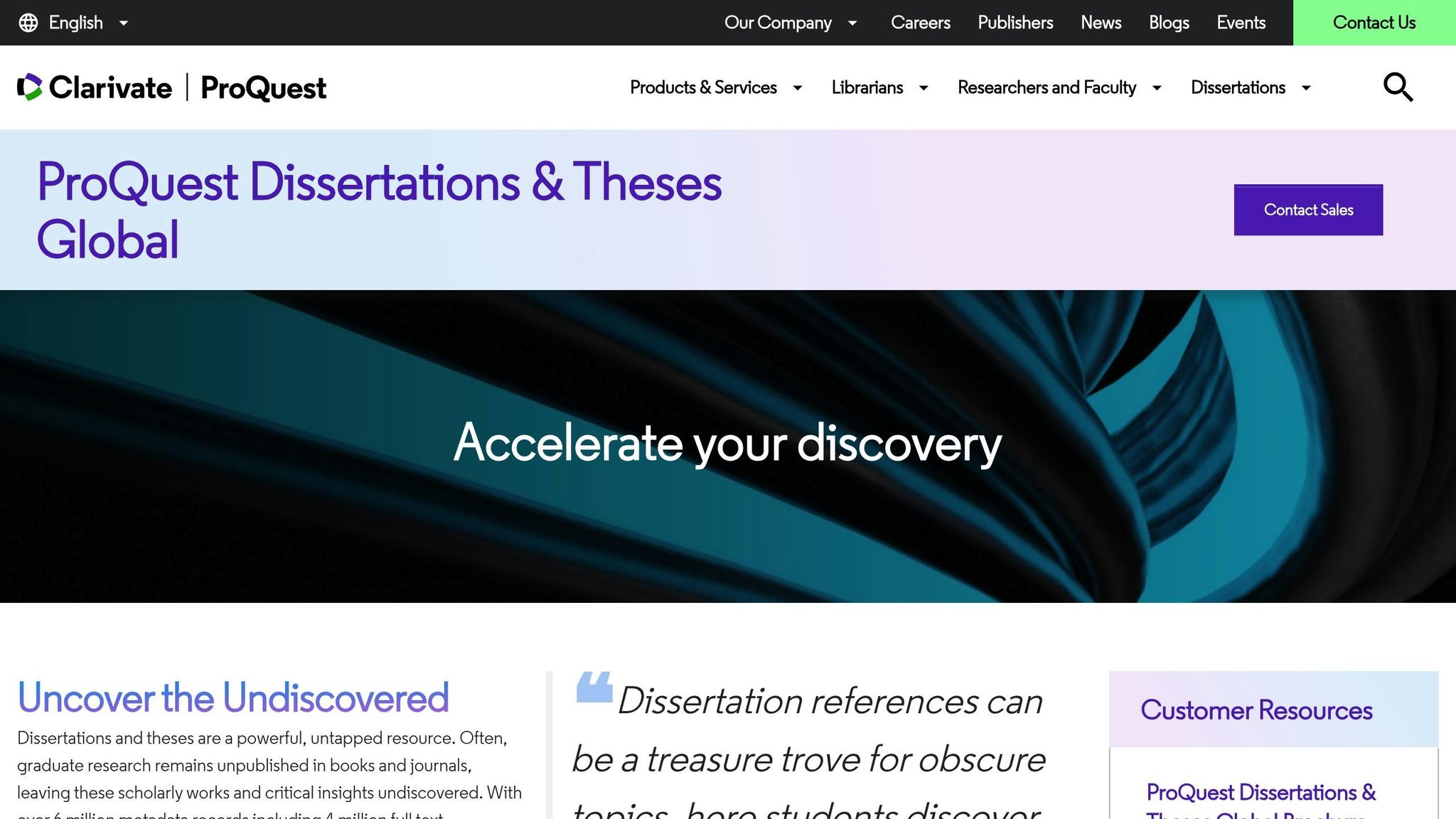
ProQuest Dissertations & Theses Global (PQDT Global) is one of the largest commercial databases, offering access to over 5 million graduate works dating back to 1861. Access typically requires a library subscription, so log in through your institution’s portal.
"PQDTGlobal includes millions of searchable citations to dissertations and theses from 1861 to the present day together with over a million full‐text dissertations that are available for download in PDF format." - ProQuest
ProQuest’s advanced search features let you filter results by institution, degree level, and subject. While it provides extensive coverage of North American works, you may need to supplement your search with regional repositories for international theses.
Step 5: Refine Your Results with Filters
After your initial search, apply filters to narrow down the results. Many platforms allow sorting by publication date or degree level, so you can easily differentiate between master’s and doctoral theses. If you’re interested in specific research methods, include terms like "qualitative", "case study", or "longitudinal" in your search.
For convenience, use the "Full-Text Available" filter. This ensures you only see records with immediate PDF access, avoiding entries that only provide abstracts or citations.
Step 6: Confirm Full-Text Availability
Before diving into a thesis, verify whether the full text is available for download. Look for a "Download PDF" button or link in the repository record. Some listings only include metadata - like the title, author, and abstract - without the full document. For older works, you may need to visit a library in person or request an interlibrary loan.
If you don’t see a download option, check the format details. The record should indicate whether the thesis is available as a digital PDF, printed manuscript, or microfilm. If you’re unsure, contact the library staff at the granting institution for help. Keep in mind that some works may have embargo restrictions, which are explained below.
Step 7: Navigate Embargoed or Restricted Theses
An embargo temporarily restricts access to a thesis, often for reasons like pending patents, future publication plans, or sensitive data. While the title, abstract, and citation remain visible, the full text may be unavailable for a set period, typically one to five years.
"If you learn about a thesis or dissertation that you want to read but it currently is embargoed, your best bet is to contact the author." - Kay Coates, Librarian - Liaison for COE, Georgia Southern University
Here’s what you can do if a thesis is embargoed:
- Contact the author directly.
- Reach out to the library or School of Graduate Studies at the granting institution.
- Search for related journal articles by the same author.
- Check the embargo’s release date in the repository metadata.
Some universities offer "Campus-Only Access," allowing on-site reading even if digital downloads are restricted. For theses in ProQuest, you may also request access through your local library’s interlibrary loan service.
Common embargo types include:
| Embargo Type | Access Level |
|---|---|
| Campus-Only Access | Restricted to the university’s network; on-site access for visiting researchers. |
| Full Embargo | Completely unavailable to the public and campus community; only accessible to administrators. |
| Partial/Redacted | Sensitive sections are hidden, but a redacted version is publicly available. |
| Restrictive Embargo | Full text is inaccessible, often due to pending patents. |
Understanding embargo restrictions and how to work around them can help you access the material you need while respecting the author’s rights.
Using AI Tools for Efficient Research
Traditional repository searches often depend on exact keyword matches and Boolean logic, which can be time-consuming and inconsistent. Enter AI-powered tools like Sourcely, which simplify the process by using semantic algorithms and concept mapping. These tools go beyond simple keywords, identifying relevant theses by understanding the core ideas of your research topic. This approach removes the hassle of experimenting with multiple keyword combinations across repositories that may use different terminology or indexing standards. With tools like Sourcely, you can streamline and refine your research process significantly.
Using Sourcely to Locate Theses
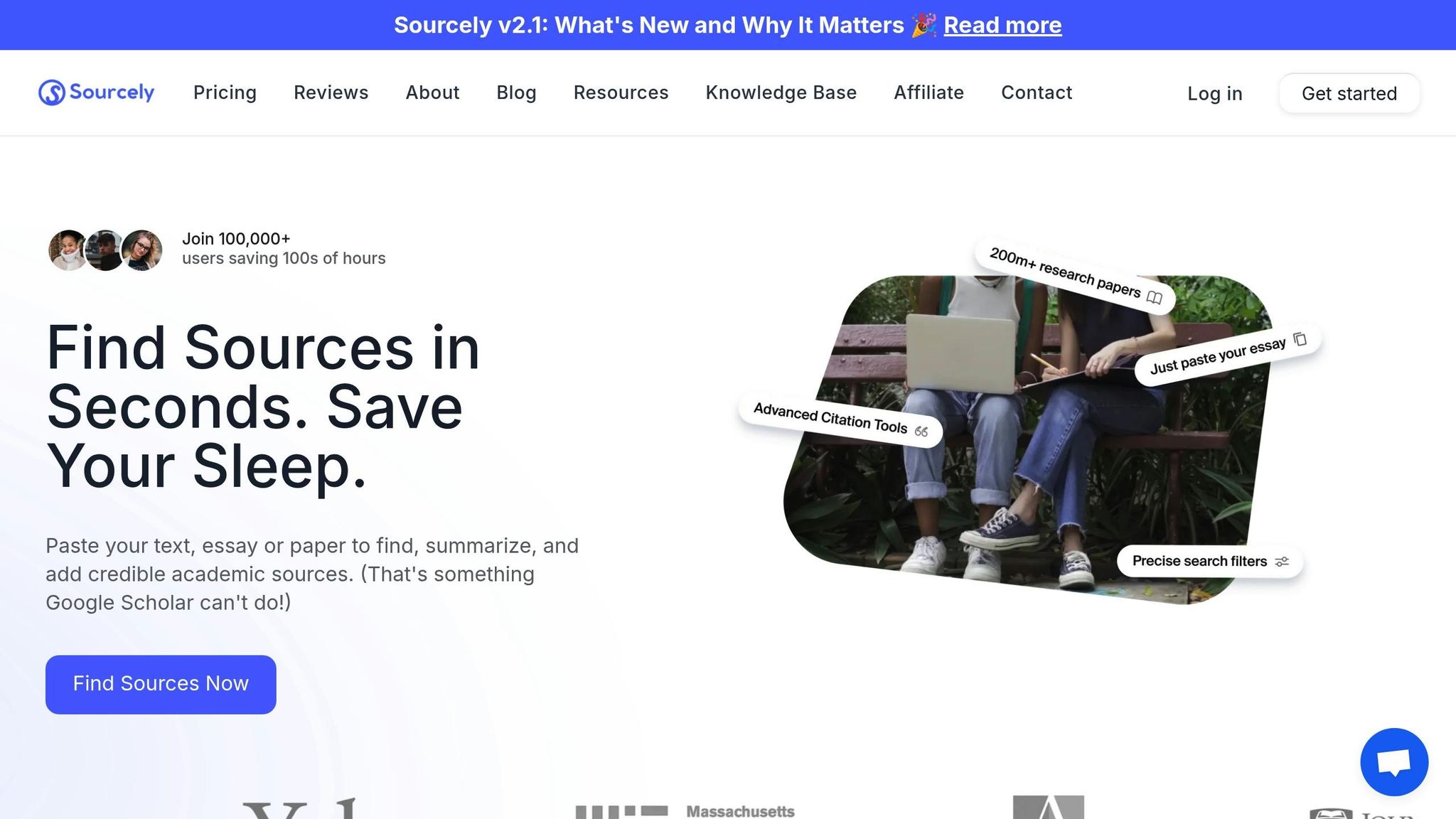
Sourcely's Deep Search feature makes finding graduate theses far more efficient than traditional methods. It not only automates the search process but also generates concise AI summaries of key objectives and findings, allowing you to quickly assess whether a thesis is worth downloading. This is especially useful when reviewing multiple theses on similar topics, saving valuable time during the early stages of research.
"Our AI-powered source finding tool is built by students for students, allowing us to truly understand the needs of the academic community." - Sourcely
Another notable feature is automated source credibility scoring, which evaluates the reliability of theses to ensure they meet academic standards.
Customizing Searches with Advanced Filters
Sourcely leverages ontology-based tagging and semantic search to deliver highly accurate results. This advanced technology helps uncover keywords you might not have considered and broadens your search without sacrificing precision. You can further refine your results using filters for subject, institution, and publication date, applied across multiple sources at once. This functionality is particularly helpful when comparing work from different universities or analyzing research trends over specific time periods.
For a comprehensive approach, many researchers combine AI tools like Sourcely with manual search methods to ensure no critical studies are overlooked. Once your search results are optimized, the next step is managing citations effectively.
Exporting and Citing References
Sourcely simplifies the citation process by exporting bibliographic metadata in formats like RIS and BibTeX. These formats integrate directly with popular citation management tools such as EndNote and Zotero, which automatically format references according to styles like APA, MLA, Chicago, or IEEE. This automation reduces the risk of citation errors and saves you from the tedious task of manual formatting.
When citing theses, ensure your references include details like the degree type (Master's or PhD), the granting institution, and whether the work was published in a database or repository. For theses accessed through ProQuest, include the "Publication No." or "Document No." if available. Sourcely's export feature captures all these critical details, helping you meet academic citation standards right from the start.
Troubleshooting Common Search Issues
When standard search methods don't yield results, these tips can help you navigate common challenges and find what you need.
No Results Found for Specific Topics
If your search for a specific topic comes up empty, try expanding your approach. For instance, if searching for "violence causes" doesn't work, consider broader terms like Psychology or adjust filters such as date ranges or institution-specific settings. Many repositories categorize content by department rather than subject, so searching for terms like "Graduate Program" or specific department names in advanced search options can often uncover hidden materials.
Using aggregator platforms can also help if initial searches don't deliver. Remember to capitalize Boolean operators (AND, OR, NOT) in your queries - for example, thesis AND Rutgers AND government. If you're still stuck, reach out to your university's library reference team through services like "Ask a Librarian".
Access Restrictions or Paywalls
Encountering paywalls doesn't have to stop your search. Many universities require students to submit their work to free institutional repositories, such as the LSU Scholarly Repository or Scholar Commons at USC. A quick Google search for University Name + digital repository can often lead you to these free resources.
Browser tools like Unpaywall or the Open Access Button, as well as Google Scholar's PDF/HTML links, can sometimes bypass paywalls by locating open-access versions of theses. If you're affiliated with a university, you can also use Interlibrary Loan (ILL) services to request digital or physical copies of theses that aren't available online.
Another option is to contact the author directly. One study found that researchers had an 88% success rate when emailing authors to request PDFs. Many authors share their work on platforms like ResearchGate, Academia.edu, or even personal websites. Keep in mind, though, that some theses may be under embargo restrictions for 12–24 months after publication.
Difficulty Navigating Repository Interfaces
Complicated repository interfaces can be frustrating, but there are ways to work around them. Most repositories offer resources like "Help" sections, video tutorials, or "Ask a Librarian" chat services - these tools can save you time and effort. You can also examine fields like "Subject" or "Author Supplied Keywords" in successful search results to understand how the repository organizes its content.
Setting up Google Scholar Library Links for your institution is another great option. This feature lets you use Google's familiar interface to access licensed repository content. For repositories with poor search functionality, try using Google with the filetype:pdf trick. Simply enter the thesis title in quotes followed by filetype:pdf to locate the document directly. If you're accessing restricted content, make sure to use your institutional VPN.
These strategies can help you overcome common search challenges, For more advanced tips, visit our Sourcely Knowledge Base to streamline your workflow, keeping your research process smooth and productive.
Conclusion
Finding theses and dissertations doesn’t have to feel like a daunting task. By following a clear, step-by-step approach, you can turn what seems overwhelming into a manageable and structured process. Start by defining your research focus and identifying specific keywords - remember, strategies can vary depending on whether you’re searching for doctoral, master’s, or undergraduate work.
The world of thesis repositories is vast, but it’s easier to navigate than you might think. For instance, ProQuest Dissertations & Theses Global offers millions of searchable citations dating back to 1861. Meanwhile, the Open Access Theses and Dissertations (OATD) indexes over 6.4 million theses from more than 1,100 institutions. Many universities also maintain their own open-access repositories, especially for "digitally-born" theses published from 2007 onward. These repositories are often the quickest way to access full-text PDFs. Once you know where to search, refining your efforts with advanced strategies becomes key.
When basic searches don’t yield the results you need, advanced techniques like Boolean operators, truncation, and citation chaining can make a big difference. Tools such as Sourcely can also simplify the process by offering AI-generated summaries, advanced filtering options, and instant citation exports.
If you hit obstacles like access restrictions or embargoes, don’t give up. Explore university repositories, take advantage of Interlibrary Loan services, or even reach out to authors directly. Combining thoughtful preparation, efficient search techniques, and the right tools will help you access the theses you need with minimal hassle. Together, these methods ensure you can navigate the research landscape effectively.
FAQs
What should I do if a thesis I need is under embargo?
If a thesis is under embargo, it means access to it is restricted until the embargo period ends. After that, the thesis is usually made publicly available in the repository or library where it's stored.
In the meantime, you can try reaching out to the author directly to request a copy - they might be open to sharing it. Some institutions also permit certain users, like advisors or collaborators, to access the thesis during the embargo period. This, however, depends on the institution's specific policies. If you need access urgently, your best bet is to contact the institution directly or keep an eye on the repository for updates.
What keywords should I use to find a thesis in a repository?
To find a thesis in a repository, focus on using precise and relevant keywords. Begin with terms such as thesis, dissertation, master's thesis, or graduate thesis. Pair these with subject-specific keywords or the name of your research field to narrow down your results. Including the institution or repository name can further refine your search. For instance, you might use phrases like environmental science master's thesis or history dissertation from [Institution Name] for more targeted results.
How can AI tools make finding theses easier?
AI tools make finding theses much easier by taking over the heavy lifting of research. With advanced search algorithms and access to extensive academic databases, they can quickly pinpoint dissertations and theses that match your topic or input. This means researchers can save a lot of time and energy.
Beyond just locating documents, many of these tools come with handy extras. They can generate concise summaries, help manage citations, and let you apply detailed search filters. Some even offer access to institutional repositories and interconnected research networks, giving you a broader pool of resources to work with. The result? Thesis research becomes faster, more precise, and far less overwhelming.