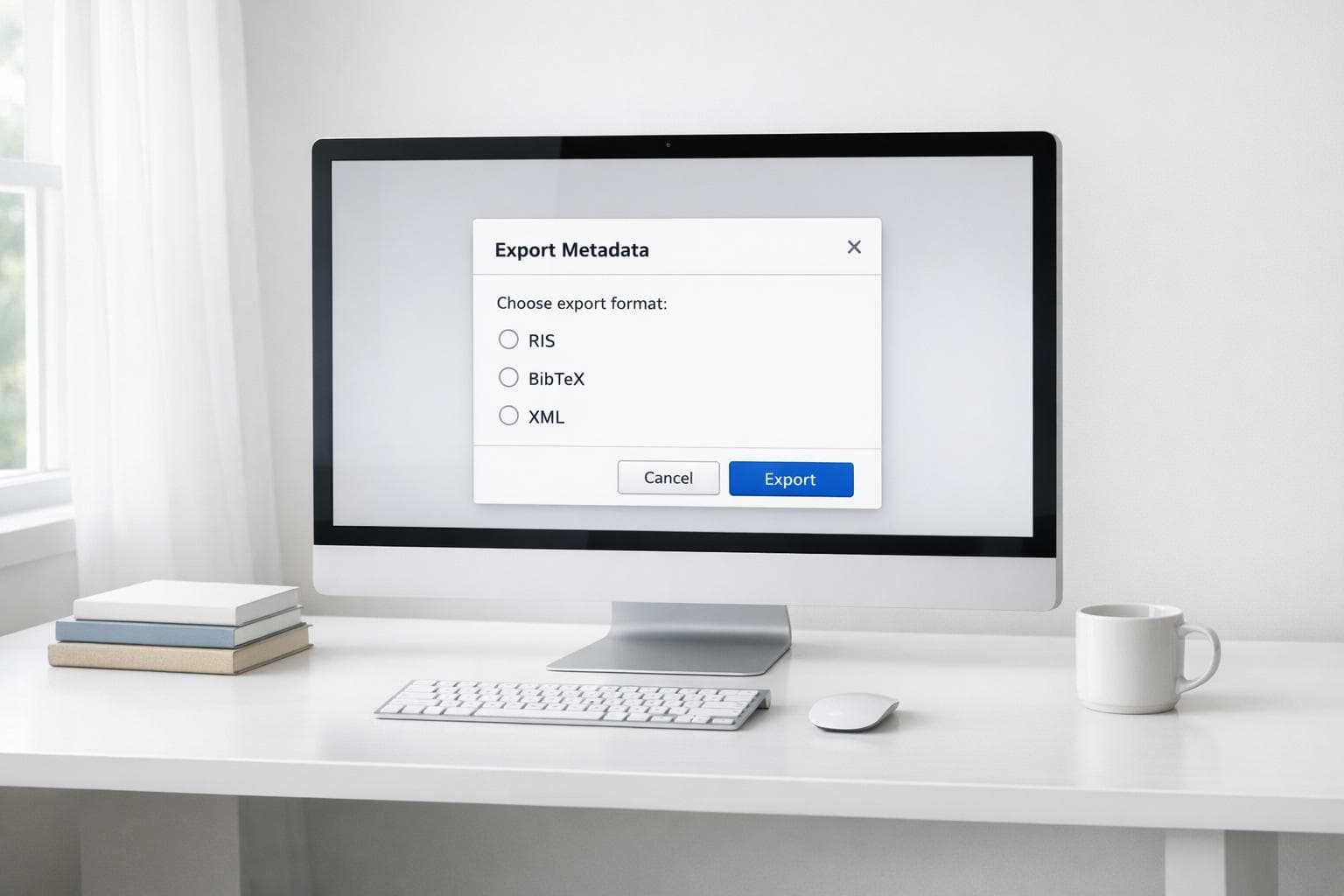
Exporting Metadata from Digital Libraries
Exporting metadata is a key step in managing bibliographic data for research. It allows you to move citation details from digital libraries into tools like Zotero, Mendeley, or EndNote, saving time and avoiding manual entry. Each metadata format serves a specific purpose:
- RIS: Compatible with most citation managers, ideal for sharing.
- BibTeX: Best for LaTeX users, supports PDF attachments.
- EndNote XML: Tailored for EndNote’s ecosystem but works with other tools.
- MODS: XML-based, detailed bibliographic descriptions.
- Dublin Core: Simplified, web-focused metadata.
Popular digital libraries like Google Scholar, PubMed, IEEE Xplore, ACM Digital Library, and the Library of Congress offer various export options. For instance, PubMed supports exporting up to 10,000 items, while Google Scholar allows batch exports via "My Library." Each platform has unique usability and format compatibility, so choosing the right one depends on your needs.
Key Takeaway: Select the format and platform that best align with your workflow, and test small batches to ensure data accuracy during integration with citation tools.
Intermediate DSpace: Metadata Imports and Exports
How to Export Metadata from Popular Digital Libraries
Digital libraries make metadata export simple, saving you from the hassle of manual entry. These platforms are essential academic tools, hosting millions of citations. For instance, PubMed includes over 17 million citations from more than 19,600 life science journals, while the ACM Digital Library houses over 54,000 articles from 30 journals and 900 conference proceedings. Below, you'll find step-by-step guides for exporting metadata from some of the most widely used digital libraries, taking you from source selection to citation management with ease.
Google Scholar: Exporting Citations

Google Scholar doesn’t have an "export all" button for search results. Instead, you’ll need to use the "My Library" feature to collect and export citations as a batch.
- For individual citations: Click the quotation mark icon under a search result and choose your format - BibTeX, EndNote, RefMan (RIS), or RefWorks.
- For bulk exports: Sign in to your Google account, run your search, and click the star icon next to each citation you want. Then, go to "My Library", click "Export All", and select either RefMan (RIS) or BibTeX format.
- For exporting from an author profile: Visit the author’s profile page, check the boxes next to the articles you need, and click "Export." Choose from BibTeX, EndNote, RefMan (RIS), or CSV formats.
PubMed and PMC: Metadata Export Options
PubMed offers flexible options for exporting metadata. You can export specific selections, all results on a single page, or up to 10,000 items at once.
- To export from PubMed: Perform your search and either select articles by checking their boxes or use the "Clipboard" feature to save items. Then, click the "Save" button at the top of the results page, choose your selection option (specific items, current page, or all results), and select your format. The "PubMed" file format (nbib) works seamlessly with citation managers like Zotero, Mendeley, and RefWorks.
For advanced workflows, PubMed also supports formats like PMID lists and NLM XML.
IEEE Xplore: Citation Export Features

IEEE Xplore specializes in technical papers and supports formats like EndNote, Procite, and RefMan. It also includes proprietary IEEE identifiers in its metadata, ensuring precise citation records for engineering and computer science literature.
- To export from IEEE Xplore: Run your search and refine the results using the filters on the left sidebar. Select the citations you need, click "Download Citations", and choose your preferred format - typically EndNote, Procite, or RefMan.
ACM Digital Library: Exporting Conference Paper Metadata
The ACM Digital Library focuses on computer science and IT resources, offering BibTeX, RIS, and EndNote XML formats for compatibility with most citation tools.
- To export from ACM: Search or browse for papers, select the items you need using the checkboxes, and click "Export" or "Download" (depending on the view). Then, choose your desired format.
ACM metadata includes DOI information, ensuring accurate and reliable source links.
Library of Congress Digital Collections: Advanced Metadata Export
The Library of Congress Digital Collections provides metadata in MARC and BibFrame formats, designed for library cataloging systems. These XML-based schemas preserve complex bibliographic relationships.
- To export metadata: Locate the item or collection you’re researching, find the "Cite This Item" or "Export" option near the item details, and select the format you need - MARC, BibFrame, or MODS (Metadata Object Description Schema).
For those managing extensive metadata, AI tools can simplify the process. For example, Sourcely helps researchers find sources, apply precise filters, and download PDFs of academic papers. It also supports exporting references in multiple formats, making it easier to integrate metadata from various digital libraries into a unified bibliography.
Comparison of Metadata Export Features
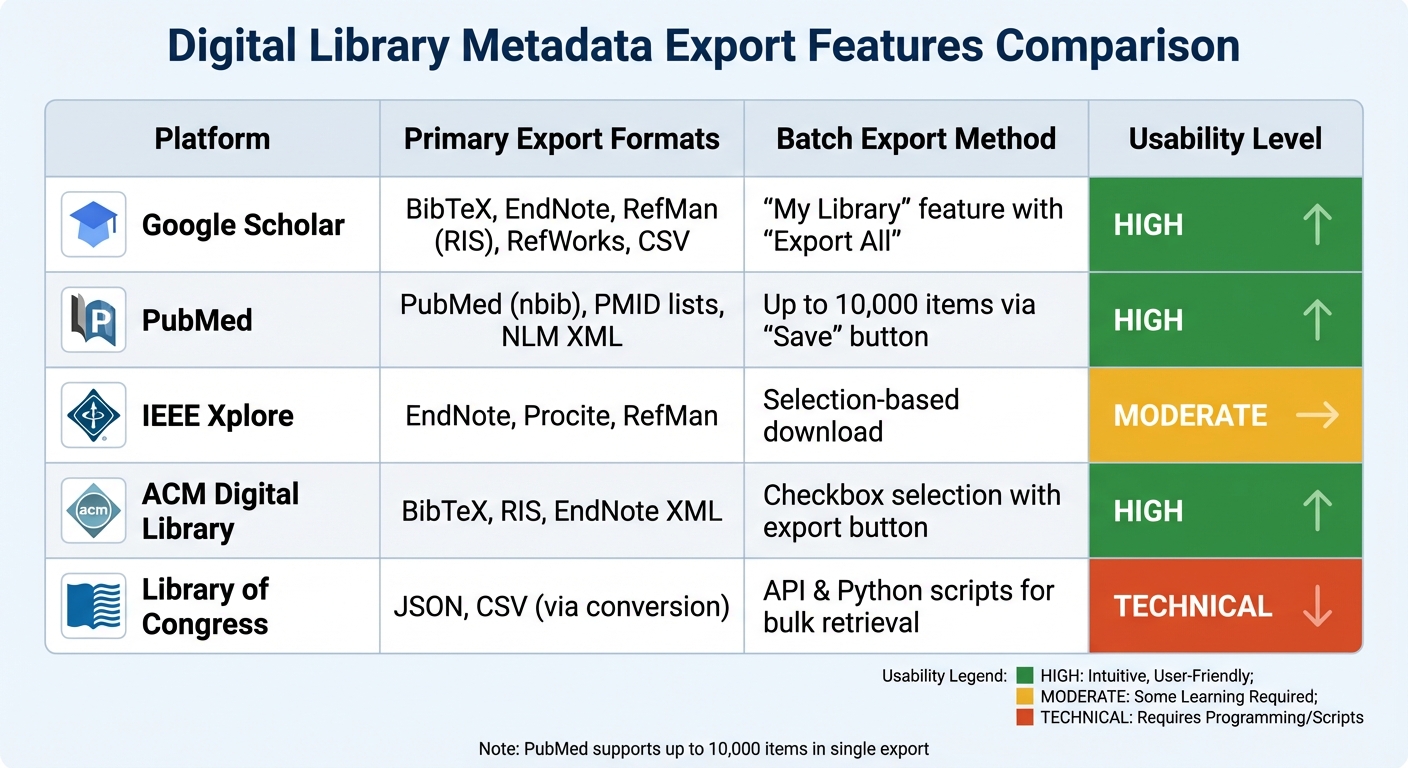
Digital Library Metadata Export Features Comparison Chart
Different digital libraries handle metadata export in unique ways, and knowing these differences can help you pick the best platform for your needs. This section builds on the export procedures discussed earlier, summarizing the key features of each platform in the table below, followed by additional insights into processing and usability.
| Digital Library | Primary Export Formats | Batch Export Method | Usability Level |
|---|---|---|---|
| Google Scholar | BibTeX, EndNote, RefMan (RIS), RefWorks, CSV | "My Library" feature with "Export All" | High: Simple star-and-export interface |
| PubMed | PubMed (nbib), PMID lists, NLM XML | Up to 10,000 items via "Save" button | High: Direct selection or clipboard-based |
| IEEE Xplore | EndNote, Procite, RefMan | Selection-based download | Moderate: Requires sidebar filtering first |
| ACM Digital Library | BibTeX, RIS, EndNote XML | Checkbox selection with export button | High: Straightforward checkbox system |
| Library of Congress | JSON, CSV (via conversion) | API & Python scripts for bulk retrieval | Technical: Manual conversion often needed |
These comparisons aim to simplify integration with reference management tools, helping you identify the platform that best fits your research workflow.
Format Compatibility
Export formats like RIS and BibTeX are broadly supported across platforms, ensuring they work with most citation managers. However, the way metadata is exported can sometimes impact how fields are retained during the import process, so it's worth testing compatibility with your preferred tools.
Batch Processing
Batch export capabilities vary significantly. PubMed stands out with its ability to handle up to 10,000 items in a single export via its web interface. On the other hand, the Library of Congress often requires automation for managing large collections, such as using Python scripts to retrieve metadata.
Usability
Ease of use largely depends on your level of technical expertise. Platforms like Google Scholar and PubMed offer user-friendly web interfaces that make exporting straightforward without requiring additional software. In contrast, the Library of Congress caters to more advanced users, providing tutorials for tasks like using a Jupyter Notebook on GitHub to fetch metadata and image URLs for projects, such as the "Abdul Hamid II collection" (323 books). For large-scale efforts, automating tasks is often the only practical solution to avoid the time drain of manual processing.
sbb-itb-f7d34da
Best Practices for Metadata Export and Integration
Selecting the right format and integrating it carefully are key steps to making the most of metadata export features. Here's a breakdown of when to use specific formats:
-
RIS: This format is widely compatible with most citation managers, making it a safe choice for general use. As the University of North Carolina at Chapel Hill notes:
"RIS format... is the most compatible with all the other citation managers, so it's best to use this format"
-
Zotero RDF: Perfect for transferring data between Zotero installations, as it keeps collection structures, attachments, and notes intact. According to Zotero Documentation:
"Zotero RDF is in general the least lossy export format... It is the only format that preserves information about item collections, attachment files, and notes"
Be sure to check the "export files" and "export notes" options to include all relevant data. - BibTeX: Ideal for researchers using LaTeX or Mendeley, this format supports technical workflows and can include file attachments.
Integrating Metadata with Zotero and Mendeley
Once you've chosen the right format, proper integration with citation managers can streamline your research process. A good practice is to test a small batch of items (5–10) before conducting a full export. This helps identify any missing fields or formatting issues early on.
If you're sharing your library with colleagues who use different tools, the RIS format is often the best option. Oregon State University advises:
"To share your library with people using other citation management tools, such as EndNote or Mendeley, the RIS file type is typically the best choice"
Keep in mind that export/import processes are not substitutes for backups. Always use your citation manager's sync or backup features. Note that reimported items will have new "Date Added" timestamps and won't link to citations in existing Word or Google Docs documents.
Ensuring Metadata Portability Across Platforms
After exporting, it's crucial to maintain data integrity when moving between platforms. While RIS is widely accepted, variations in how it's implemented can sometimes lead to import errors. If needed, tools like Bibutils can help improve accuracy during conversions.
For large-scale exports, double-check that all records have transferred correctly. If you encounter missing or incomplete entries, reach out to the platform's technical support with detailed information about your collection. For databases like PubMed, using PubMed XML instead of MEDLINE (.nbib) format ensures better data accuracy.
Conclusion
Exporting metadata effectively is a key step in creating a research workflow that saves time while ensuring accuracy. Choosing the right export format is crucial: RIS is ideal for sharing citations across different tools, BibTeX works seamlessly with LaTeX-based projects, and Zotero RDF captures your entire library, including notes and attachments. Each format serves a unique purpose, and selecting the right one helps avoid data loss.
Accuracy is just as important as efficiency. Using browser connectors to pull metadata directly from publisher websites often yields better results than extracting details from PDFs. Additionally, verifying export logs during batch operations ensures everything is properly recorded and reduces errors.
For an even smoother process, consider leveraging advanced tools to manage metadata across platforms. Tools like Sourcely can simplify your workflow by using artificial intelligence to find academic sources that match your research topic or essay text. It also generates correctly formatted citations in styles like APA, MLA, or Chicago, and helps confirm source credibility. This addresses common challenges like incomplete or mismatched metadata, making the entire export process more reliable and efficient.
FAQs
What are the benefits of exporting metadata in RIS format?
The RIS (Research Information Systems) format comes with several benefits when it comes to exporting metadata:
- Broad compatibility: Supported by the majority of citation management tools, RIS makes transferring data across platforms a breeze.
- Simple to edit: Since RIS files are plain text, you can easily open and modify them with basic text editors like Notepad or TextEdit.
- Rich in detail: These files store essential bibliographic information and even user-added notes, ensuring nothing important gets left behind.
Thanks to these qualities, RIS is a dependable and practical option for researchers who need to share or safely store their reference metadata.
How can I export multiple citations at once from platforms like PubMed and Google Scholar?
Batch exporting is a handy way to download citation data for multiple articles at once, making it simpler to move large sets of references into tools like EndNote or Zotero. Both PubMed and Google Scholar provide built-in features to make this process smoother.
In PubMed, start by running your search. Then, use the “Send to” option and choose “Citation Manager.” You can export up to 10,000 records in formats like .nbib or CSV. Once you've made your selection, click “Create File” to download the data.
For Google Scholar, sign in with your Google account and save articles to “My Library” by clicking the star icon beneath each citation. After saving your articles, navigate to “My Library”, select the citations you need, and use the Export option to download them in formats such as BibTeX or EndNote.
These tools make managing references for academic or research projects much easier, helping you save time and effort.
What can I do if some metadata fields are missing after exporting from a digital library?
When metadata fields go missing after an export, it’s often due to the export format or settings not capturing everything. Here’s how you can address this issue:
- Pinpoint the missing fields: Compare the exported file to the original record to identify what’s absent - this could include notes, tags, or attachments.
- Opt for a more comprehensive format: Formats like RDF tend to retain more details compared to simpler ones like RIS. Switching to a richer format can help preserve all elements.
- Tweak the export settings: Check if the platform allows you to include extra elements, such as notes or attachments, and adjust the settings accordingly.
- Try exporting again: After making these adjustments, re-export the data and confirm if the missing fields are now included.
- Fill gaps manually if needed: If fields are still missing, you can manually add them to the exported file. Alternatively, tools like Sourcely can help locate and fill in the gaps.
By following these steps, you can ensure your metadata export is thorough and ready for use in other systems or projects.