Integrating Quotes in MLA: Signal Phrases, Punctuation, and Examples
If you quote in MLA, do 3 things every time: introduce the quote, format the punctuation the right way, and add the citation in the right spot.
In plain terms, I’d boil the whole guide down like this:
- Use a signal phrase so the quote fits your sentence
- Choose the right lead-in punctuation: comma, colon, or nothing
- Place MLA punctuation in the right order for short quotes
- Use block format when prose runs past 4 lines or poetry past 3 lines
- Avoid common errors like dropped quotes, repeated author names, and commas inside citations
A lot of MLA mistakes come from small details. For short quotes, the period goes after the parenthetical citation. For block quotes, the citation goes after the final punctuation. And in MLA, you write (Smith 42), not (Smith, 42).
Here’s the fast version:
- Narrative citation: name the author in the sentence, then give only the page number
- Parenthetical citation: leave the author out of the sentence, then give last name + page number
- Short quote: keep quotation marks
- Block quote: indent 0.5 inches, double-space, and do not use quotation marks
- Edited quote: use square brackets
- Cut text: use an MLA ellipsis: . . .
My takeaway: MLA quote integration is mostly about sentence flow and punctuation order. If the quote reads like part of your sentence, and the citation sits in the right place, you’re on track.
For many students, the trouble is not the quote itself. It’s the small stuff around it - the lead-in, the closing mark, and the citation. That’s where most errors happen, even though the core rules are fairly short.
Quote Integration for MLA Style
sbb-itb-f7d34da
Using Signal Phrases in MLA
A signal phrase introduces a quotation, paraphrase, or summary and names the source. In MLA style, signal verbs usually appear in the present tense or present perfect tense, like argues, states, or has argued.
Author Name in the Sentence vs. in Parentheses
In MLA, you have two standard options. You can name the author in the sentence and give only the page number in parentheses. Or you can leave the author out of the sentence and put the last name plus the page number in parentheses.
| Citation Pattern | Author Placement | Parenthetical Contains | Example |
|---|---|---|---|
| Narrative | In the sentence | Page number only | Wordsworth states that poetry is a "spontaneous overflow" (263). |
| Parenthetical | Not in the sentence | Author name + page number | Poetry is a "spontaneous overflow of powerful feelings" (Wordsworth 263). |
Once you've placed the author the right way, the next job is punctuation before the quote.
Comma, No Punctuation, or Colon Before a Quote
Use a comma after a signal phrase that leads into a quotation. Use a colon after a full sentence that introduces a quotation. Use no punctuation when the quotation finishes your sentence.
Put simply, the choice depends on how the quote fits into the grammar of the line. If the quote flows right out of your wording, you may not need any punctuation at all. If your sentence sets up the quote as a full statement, a colon does the job.
Matching the Signal Phrase to Sentence Grammar
The signal phrase and the quotation need to read as one grammatically correct sentence. A simple test helps: read the sentence out loud. If it sounds awkward, the verb or punctuation may be off.
It also helps to choose a more exact verb when it fits the source, such as contends, illustrates, implies, or suggests. Small choices like these can make the sentence read more smoothly and sound less stiff.
These sentence-level choices start to matter even more when you move from signal phrases to short quotations.
Punctuation and In-Text Citations for Short Quotations
Once your signal phrase is in place, MLA punctuation follows a set pattern. This is where a lot of writers slip up.
Where Quotation Marks, Parentheses, and Periods Go
With short quotations, put the closing quotation mark before the parenthetical citation and the period after the citation. The period goes after the closing parenthesis because the citation sits outside the quoted words.
Question marks and exclamation points work a little differently. If the punctuation is part of the source, keep it inside the quotation marks, and end the sentence with the parenthetical citation. If the punctuation belongs to your sentence, place it after the closing parenthesis instead.
| Punctuation Type | Placement | Example |
|---|---|---|
| Period | After the parenthetical citation | ...is "a spontaneous overflow" (Wordsworth 263). |
| Question mark (source's) | Inside quotation marks | ...replies, "what, no more fighting?" (Blackwell 43). |
| Question mark from your sentence | After the parenthetical citation | Did the author really say the sky was "neon green" (Smith 12)? |
| Square brackets | Around altered or added text | "censorship [in Russia] is more subtle" (Ziegler 187). |
| Ellipses | Where text is removed | "astronomy . . . was based on" (Burns 123). |
One small but important rule: never put a comma between the author's last name and the page number inside the parentheses. Write (Keel 42), not (Keel, 42).
How to Keep the Original Wording and Punctuation
Quoted text must match the source exactly, including spelling, capitalization, and punctuation. If you need to change a word so the quote fits your grammar, use square brackets. If you need to remove words from the middle of a quote, use an ellipsis with spaces between the dots, like . . .. In plain English: adjust your sentence around the quote, not the quote itself.
Examples of Correct Short Quote Integration
These are the three patterns you'll use most often:
- Author named in the sentence (narrative citation): Ziegler argues that "censorship [in Russia] is more subtle" than most Western observers assume (187).
- Author only in parentheses (parenthetical citation): Some scholars contend that "censorship [in Russia] is more subtle" (Ziegler 187).
- Quote embedded within the writer's sentence: The poet describes the feeling as "a spontaneous overflow" (Wordsworth 263).
Formatting Block Quotations in MLA
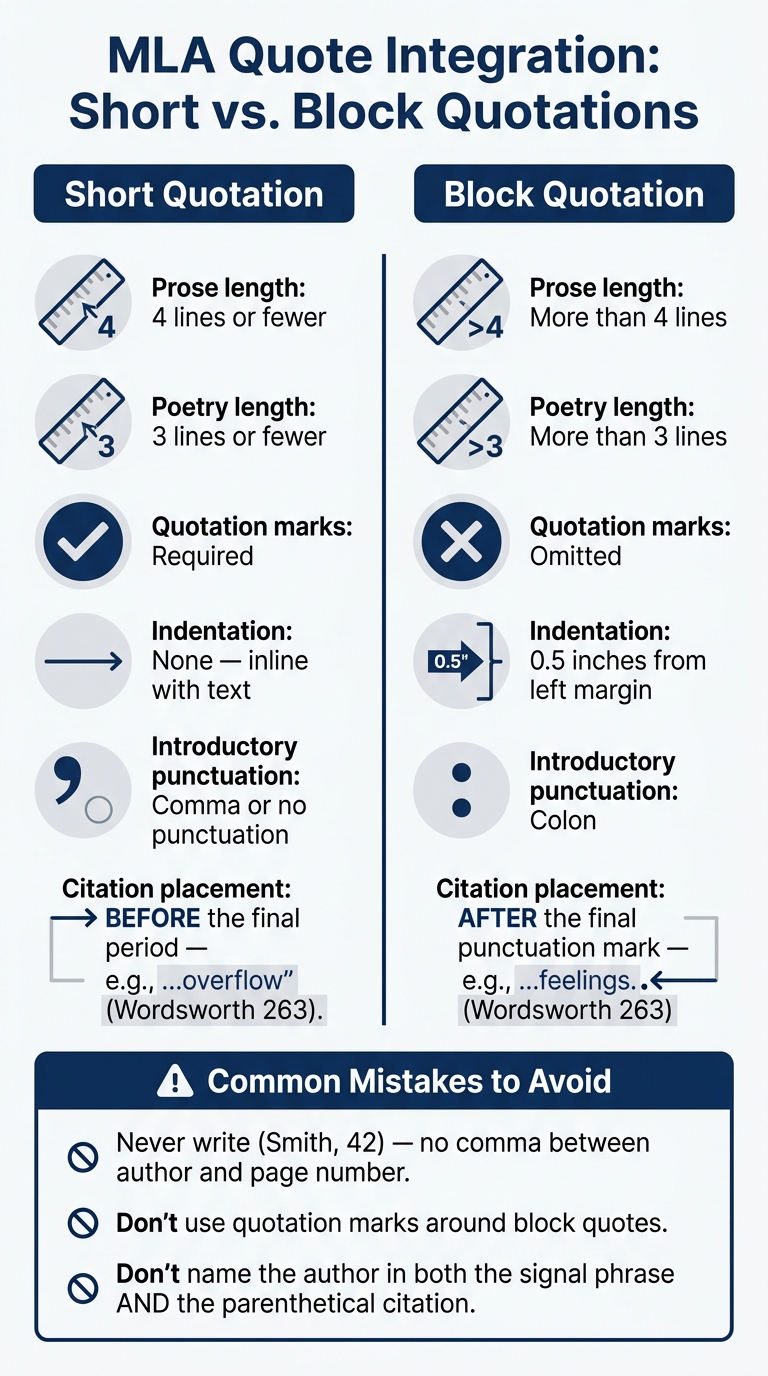
MLA Quote Integration: Short vs. Block Quotations at a Glance
When to Use a Block Quote
Use a block quote when a passage goes past MLA's line limit. That means prose longer than four lines, poetry longer than three lines, and dialogue from a play.
One slip-up shows up all the time: people keep a long passage inside quotation marks like it's a normal inline quote. But once it passes the MLA limit, the format changes. At that point, treat it as a block quote.
Block Quote Format: Indentation, Spacing, and Citation Placement
Set up the block quote with a signal phrase and a colon. Then start the quoted passage on a new line and indent it 0.5 inches from the left margin. Keep the text double-spaced, and leave out quotation marks. Put the parenthetical citation after the final punctuation mark, not before it.
After the block quote, move to a new paragraph for your analysis.
Table: Short Quotations vs. Block Quotations
| Feature | Short Quotation | Block Quotation |
|---|---|---|
| Prose length | 4 lines or fewer | More than 4 lines |
| Poetry length | 3 lines or fewer | More than 3 lines |
| Quotation marks | Required | Omitted |
| Indentation | None (inline with text) | 0.5 inches from left margin |
| Introductory punctuation | Comma or no punctuation | Colon |
| Citation placement | Before the final period | After the final punctuation mark |
Common MLA Quote Errors and How to Fix Them
Dropped Quotes, Repeated Author Names, and Citation Errors
The MLA quote mistakes people run into most often are dropped quotes, repeated author names, and small punctuation errors.
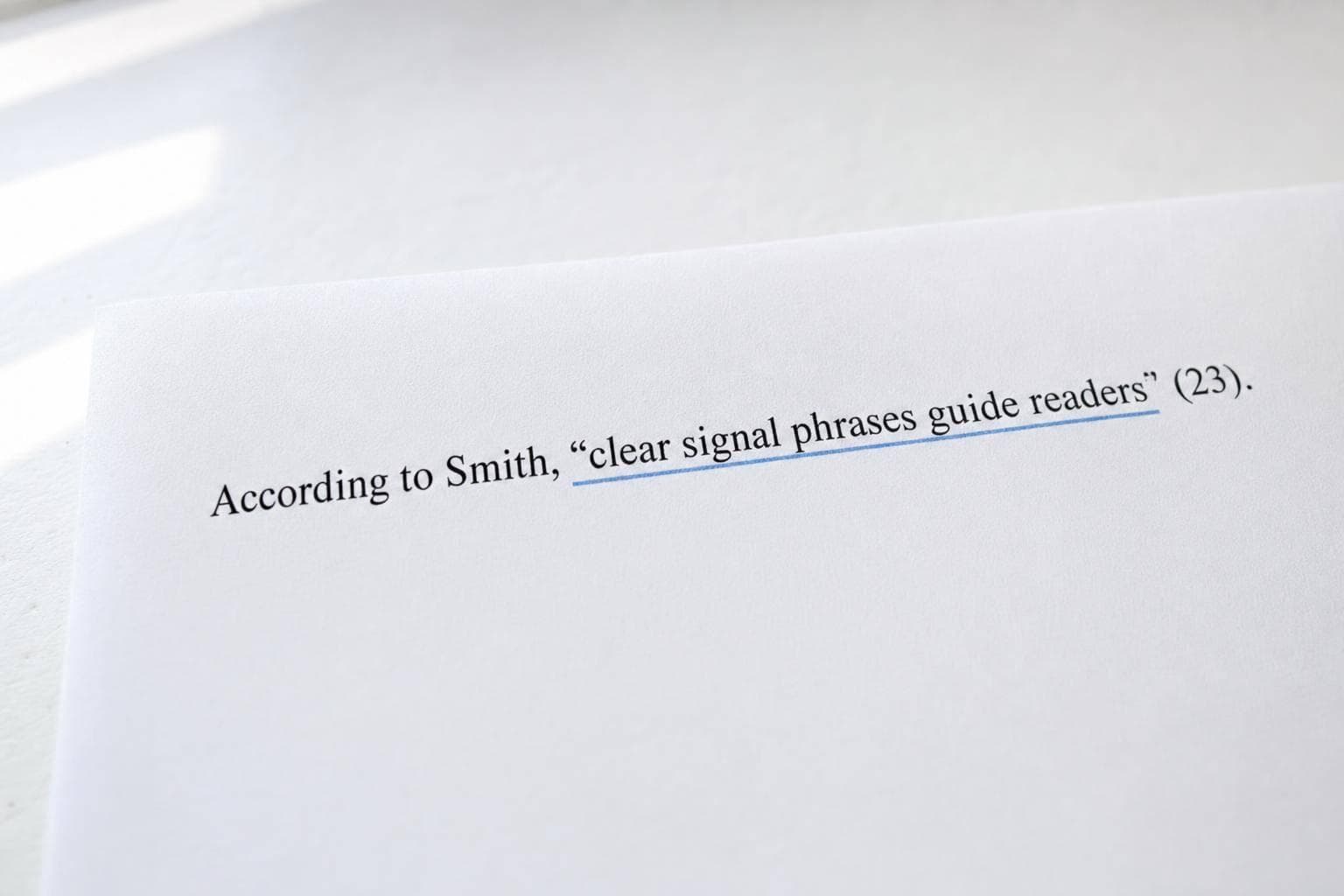
A dropped quote happens when you place a quotation into a sentence without any lead-in or signal phrase. It feels abrupt, like the quote was just dropped onto the page. The fix is simple: add a signal phrase, blend the quote into your own sentence, or introduce it with a full clause and a colon. For example: According to Smith, "...".
Another common slip is naming the author twice - once in the sentence and again in the parenthetical citation. If you already mention the author in the signal phrase, the citation should include only the page number, like this: (42). Writing (Smith 42) after already naming Smith is redundant. And one more detail matters here: don’t add a comma between the author’s last name and the page number. (Smith 42) is right; (Smith, 42) is not.
Punctuation Problems and Block Quote Mistakes
After the quote fits smoothly into your sentence, check the punctuation and block quote format.
For short quotations, the period comes after the closing parenthesis, not inside the quotation marks. Write it like this: "quoted text" (12).
Block quotes follow a different rule. Do not put quotation marks around a block quote.
MLA Quote Integration Checklist
Use this quick check before you submit:
- Every quotation has a signal phrase or lead-in and works with the grammar of the sentence around it
- The author's name appears either in the signal phrase or in the citation, not both
- No comma appears between the author's last name and the page number in citations
- Short quotes place the period after the parenthetical citation; block quotes are indented 0.5 inches, double-spaced, and use no quotation marks
FAQs
How do I choose between a comma, colon, or no punctuation before a quote?
It depends on how you set up the quote.
- Use a colon after a complete sentence that introduces the quote.
- Use a comma after a signal phrase with a verb like writes, argues, or says.
- Use no punctuation when the quote fits smoothly into your sentence, such as after that or inside a clause.
When should I turn a quote into a block quote in MLA?
In MLA, use a block quote for prose that runs longer than four typed lines or poetry that runs longer than three lines. This format works best when the exact wording matters a lot to your point.
Set the entire quote 0.5 inches from the left margin, double-space it, and leave out quotation marks. Then place the parenthetical citation after the final punctuation mark.
What if my source has no page numbers?
If a source doesn’t have page numbers, use another location marker when you can. That might be paragraph numbers, line numbers, chapters, sections, or timestamps.
If you mention the author in a signal phrase, you don’t need a parenthetical citation. If there’s no location marker, cite the author’s last name or a shortened title. If neither one works, leave out the location info.