
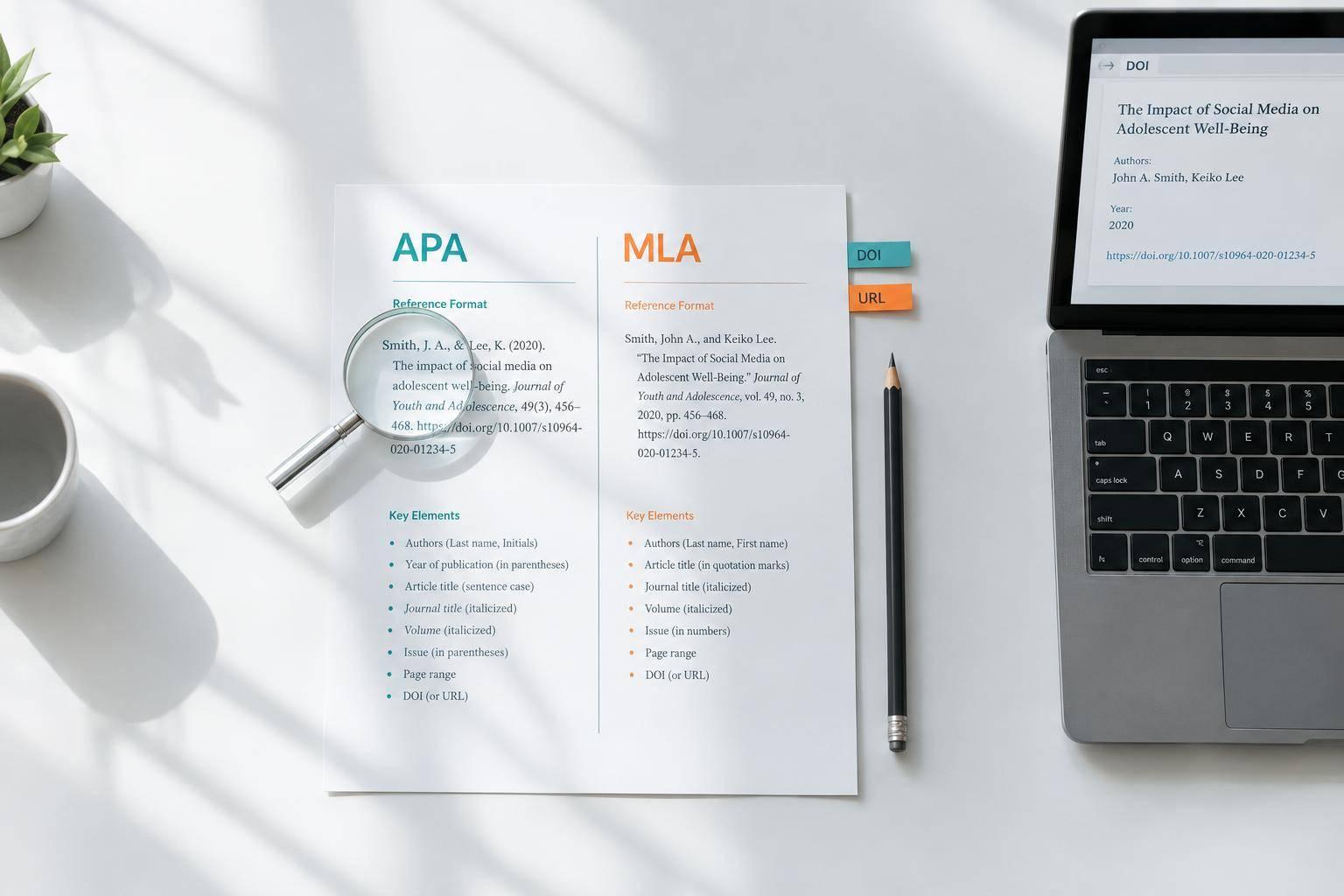
Citation Checker Guide: How to Verify APA and MLA References Before You Submit
I check the source before I check the citation. Open each DOI or URL, confirm the authors and title, and read the cited passage. A correctly formatted reference can still point to the wrong work - or fail to support your claim.
My final review covers 3 checks:
- Source details: Verify names, dates, publication details, and any corrections or retractions. Treat Sourcely exports as drafts, not verified references.
- Style and matches: Use author–date citations for APA 7 and author–page citations for MLA 9. Match citations to entries in both directions, allowing for exceptions such as APA personal communications.
- Submission format: Follow your instructor’s rules, then check links, punctuation, italics, double spacing, and 0.5-inch hanging indents.
My rule: <u>verify first, format second</u> - then review the final file after your last edit.
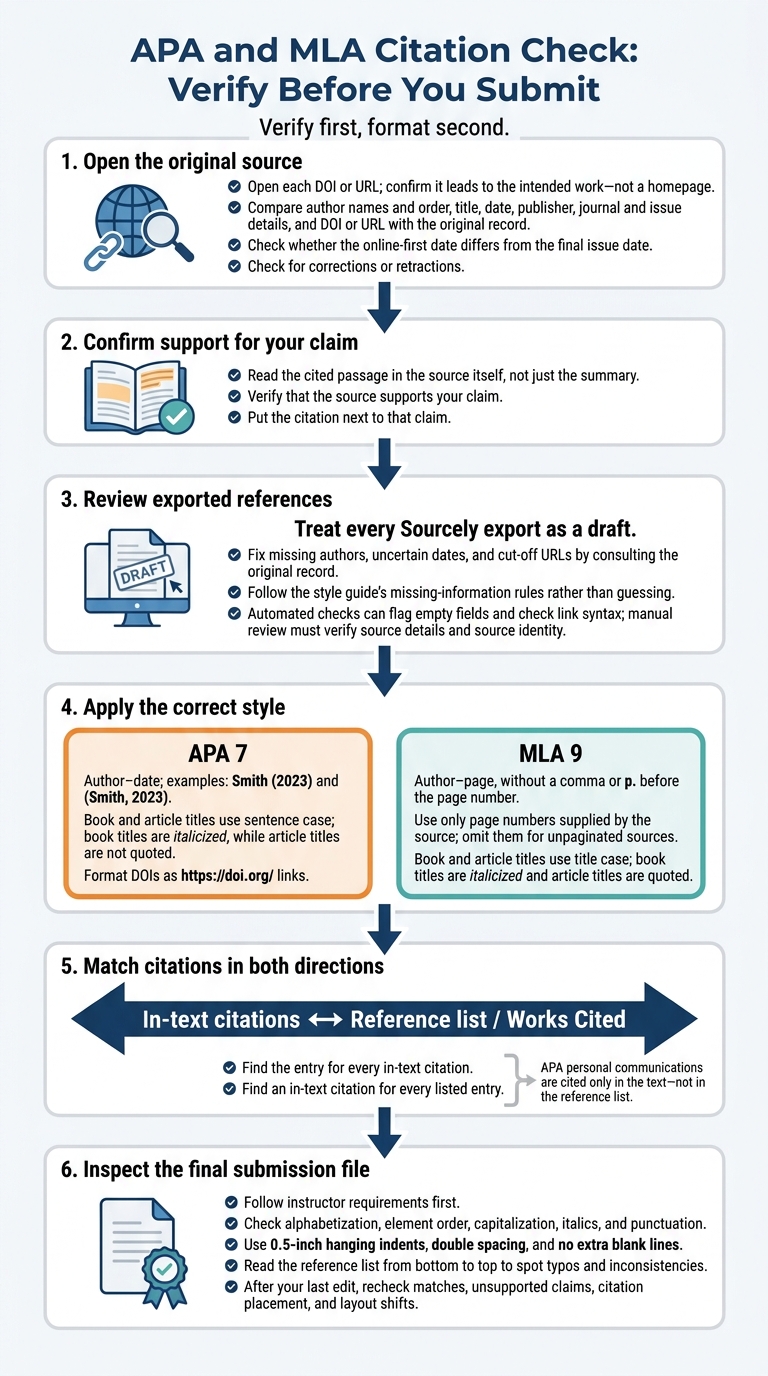
APA and MLA Citation Check: Verify Before You Submit
How to Check a Citation Generator with APA and MLA examples
sbb-itb-f7d34da
Step 1: Check APA References and In-Text Citations
APA uses an author–date system: the surname and year in the text point readers to a reference-list entry. Check the source record before formatting. For journal articles, the online-first date may differ from the final issue date. Sort references alphabetically by the first author’s surname, and list works by the same author from oldest to newest.
A citation checker can help with formatting, but verify the source record manually before submitting. Use the models below to check books, journal articles, and webpages one at a time.
Correct APA Book, Article, and Webpage References
These templates show how to fix common APA errors. They aren’t real sources. Replace the placeholders and check that each DOI or URL leads to the matching source record.
Source Common errors Correct model Whole authored book Full first names instead of initials; title case; missing publisher Surname, A. A. (Year). Title of book in sentence case (Edition). Publisher. Journal article Title-case article title; missing issue; doi:prefixSurname, A. A. (Year). Title of article in sentence case. Journal Name in Title Case, Volume(Issue), page range. https://doi.org/[DOI suffix] Webpage Missing month and day when the source gives a full date; repeated corporate author name Corporate author. (Year, Month Day). Title of page in sentence case. Site Name. URL
Use sentence case for book, article, and webpage titles, and title case for journal names. Italicize book titles, journal names, and journal volume numbers - not article titles or issue numbers. Include the edition when applicable. Leave out the site name if it repeats the corporate author.
Match APA In-Text Citations to References
After checking the reference list, match every in-text citation to its entry. Review both narrative and parenthetical citations:
Smith (2023) and (Smith, 2023) must point to the same reference-list entry.
For two authors, use “and” in narrative text and “&” in parentheses. For three or more authors, use the first surname followed by “et al.” in every citation. If there’s no date, use n.d. in both the citation and the reference entry.
When the same authors have multiple works from the same year, assign a, b, and subsequent letters based on the titles’ alphabetical order in the reference list. Use those same suffixes in every citation. Direct quotations also need a locator: p. for one page, pp. for a page range, or a paragraph number if pages aren’t available.
Example paragraph locator: (para. 5).
Check both directions: find the reference for every in-text citation, then find an in-text citation for every reference entry. Personal communications are the exception. Cite them only in the text, using the communicator’s initials, surname, and date; don’t include them in the reference list. Manually verify names, dates, issue numbers, repeated corporate author names, and DOI targets.
Apply the same source-checking process to MLA next.
Step 2: Check MLA Works Cited and In-Text Citations
Start with the source: verify its record, format the Works Cited entry, then match the in-text citation. MLA uses a container system: cite the source first, followed by the larger work that contains it. Follow the core elements in order and skip any that don’t apply. A database can serve as a second container.
Correct MLA Book, Article, and Webpage Entries
Check each entry for missing details and formatting errors:
- Book: Include the author, italicized title, edition/version, publisher, and date. Omit the city.
- Journal article: Put the article title in quotation marks and italicize the journal title. Label the volume, issue, and page range with vol., no., and pp.
- Punctuation: Place periods after the author and source title, then use commas between the remaining container elements. End the entry with a period.
Invert only the first author’s name. Write later authors as First Name Surname, and connect two authors with “and.” Use title case for titles.
For a webpage, check the quoted page title, italicized site name, publisher when applicable, date, and URL. Abbreviate months longer than four letters. Include an access date for pages that are undated or updated often. Format a DOI as an https://doi.org/ link.
Match MLA Citations and Compare APA Rules
Match each in-text citation to the first element of its Works Cited entry, usually the author’s surname. If there’s no author, use the title or a shortened version.
MLA’s author–page format uses no comma and no p. before the page number. Use only page numbers supplied by the source; leave them out for unpaginated sources. Check in both directions: each citation should match an entry, and each entry should match a citation.
After formatting entries and matching citations, use this table to spot APA/MLA mix-ups:
| Check | APA 7 | MLA 9 |
|---|---|---|
| Author names in entries | Surname and initials | Surname and given names as published |
| Book and article titles | Sentence case; book titles italicized, article titles without quotation marks | Title case; book titles italicized, article titles quoted |
| In-text pattern | Author–date | Author–page, without a comma |
| List order | Alphabetical; chronological for the same authors | Alphabetical; title-based for the same author |
Watch for years in MLA parenthetical citations, ampersands between authors, and entries sorted by date. When sorting titles by the same author, ignore an initial A, An, or The.
Next, apply the same record-checking process to the source records you export.
Step 3: Review Sources and References With Sourcely
Use Sourcely only after you’ve identified the source, and treat every export as a draft until you check the original record. Sourcely can help you find academic sources, narrow results, and export references. It doesn’t verify source accuracy.
Verify Source Records Before Exporting References
Find the source through Sourcely, then open its publisher page or original PDF. Compare the author names and their order, title wording, date, publisher, journal and issue details, and DOI or URL with the original record. Check whether the online-first date differs from the final issue date.
Before exporting, fix missing authors, uncertain dates, and cut-off URLs. Follow your style guide’s rules for missing information rather than guessing. Open each DOI or URL to confirm that it leads to the intended work - not a homepage.
Read the source itself, not just the summary, to confirm that it supports your claim. Put the citation next to that claim. Once you’ve verified the source, check the exported reference’s APA or MLA formatting.
Know What Requires a Manual Check
The table below separates what automated checks can flag from what you need to review yourself.
| Review task | Automated checks | Manual check |
|---|---|---|
| Structure | Flag unmatched citations or entries | Check style exceptions, such as APA personal communications cited only in text. |
| Metadata | Flag empty fields | Verify names, dates, and source details. |
| Source identity | Check link syntax | Confirm the work and check for retractions. |
| Claim support and placement | None | Verify that the source supports the claim and that the citation is placed correctly. |
| Style | Apply standard formatting | Check unusual source types and instructor rules. |
Conclusion: Run Your Final Citation Check
Finish in this order: verify sources, match citations to entries, then proofread manually. Wait until your argument and reference list are finished before this last pass. Late edits can leave entries uncited or citations without matching entries.
Check Citation Matches, Links, and Formatting
Matches: Check every in-text citation against the reference list or Works Cited page. Then work backward: check that every listed entry is cited in the paper. Every citation needs a matching entry, and every entry needs a citation.
Details and links: Compare authors, dates, titles, and publication details with the source you used. Open each DOI or URL to make sure it leads to that source - not a homepage or broken link. In APA, format DOIs as https://doi.org/ URLs.
Order and appearance: Check alphabetization and the order of elements within each entry. Use 0.5-inch hanging indents, double spacing, and no extra blank lines. Check capitalization, italics, and punctuation, too.
Final read: After checking references, read the list from bottom to top to spot typos and inconsistencies. Then reread the paper for unsupported claims, missing context, and citations attached to the wrong text. Check the assignment’s requirements and inspect your final submission file for layout shifts.
FAQs
What if a source’s DOI no longer works?
A DOI that no longer works may point to a broken link or an outdated identifier. Check the source details against the original document or an authoritative record. Don’t guess or fill in missing information.
If the link is broken, look for a stable alternative, such as another URL format or an archived page. If you can’t find the missing details, follow your citation style’s rules for missing information.
Which date should I cite for an online-first article?
Use the publication date in the article’s official record for the version you accessed - not an unrelated update or copyright date - unless your required style guide says otherwise.
Check the journal record or the article’s landing page to confirm the date. If several dates appear, consult your style manual to determine which publication date to use for online-first content.
How do I cite a source with no author or date?
If a source has no author, use its title or a shortened title as the main element in both the in-text citation and the reference-list entry. If there’s no date, follow your required style guide. APA uses (n.d.) in place of the year.
Check your style manual for rules on missing information, since requirements vary. Never make up missing details.


