
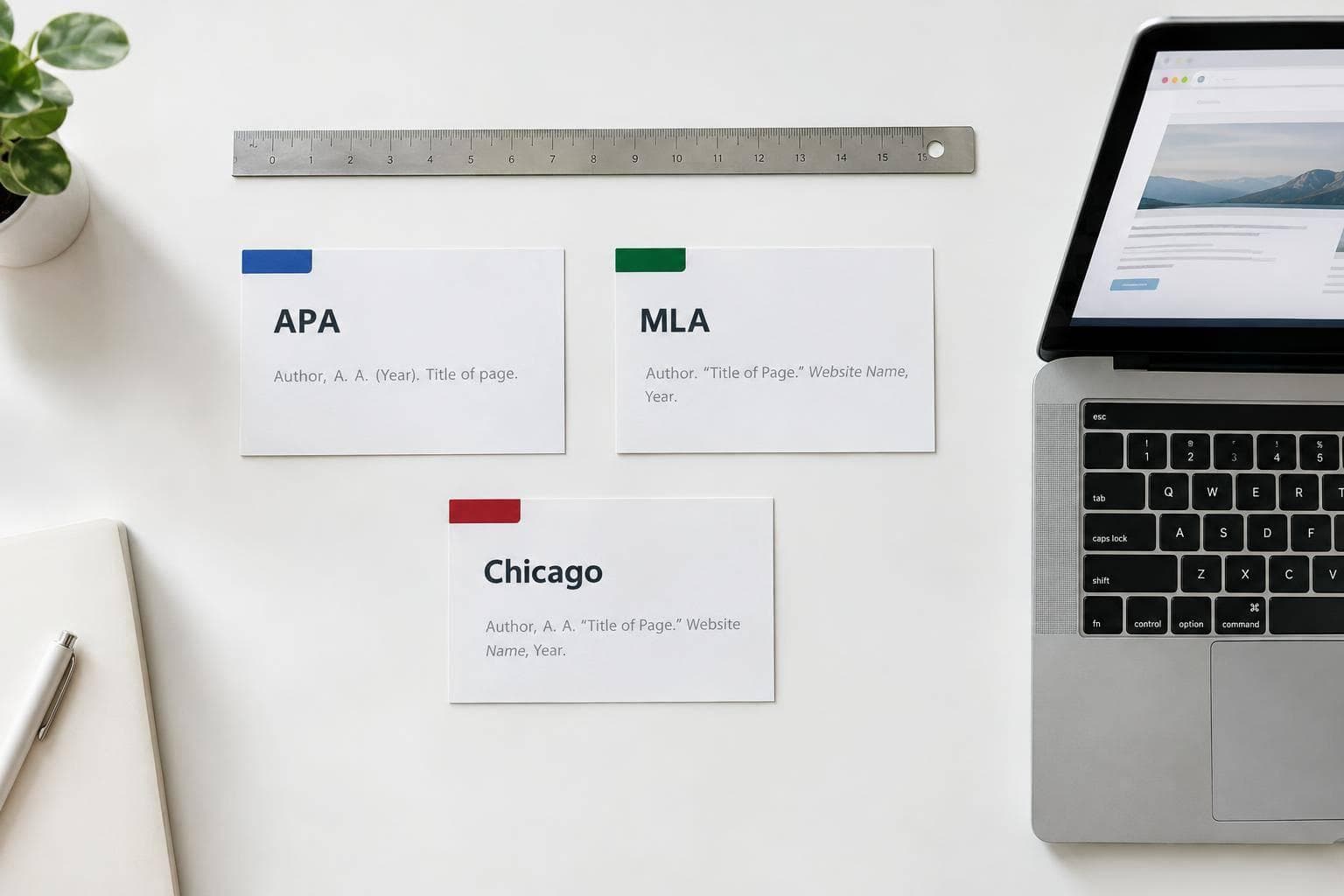
How to Cite a Website in APA, MLA, and Chicago (With Examples)
To cite a website, I start with the exact page’s author, title, date, and URL - not just its homepage. Then I format those details using the style my assignment requires:
- APA 7: An author–date citation in the text and a reference list entry.
- MLA 9: An author or shortened title in the text and a Works Cited entry.
- Chicago: Numbered notes and a bibliography, or author-date citations and a reference list.
If details are missing, I follow that style’s rules rather than guess. Below, I cover examples, access dates, changing pages, and a final check so <u>your citations point readers to the source you used</u>.
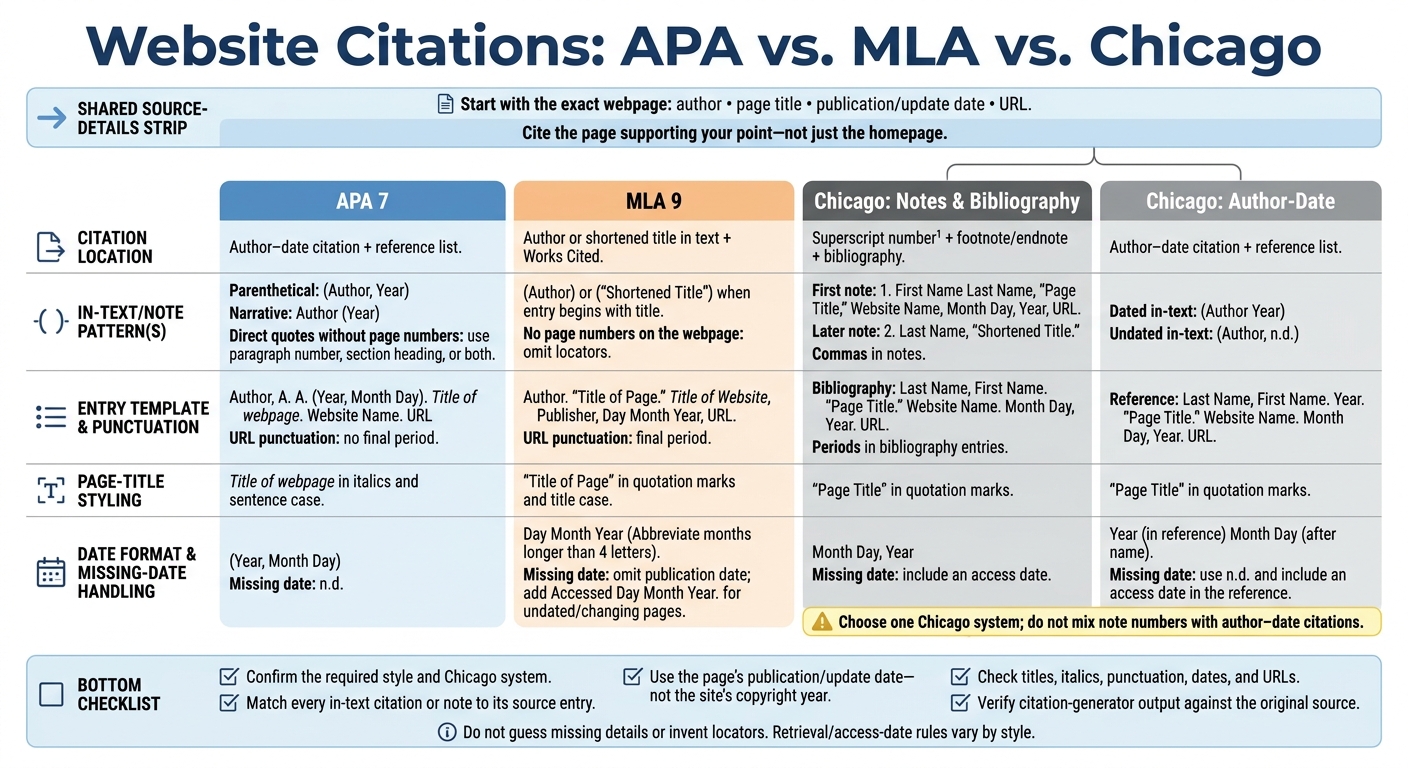
Website Citations: APA vs. MLA vs. Chicago
2. Cite a Webpage in APA 7
Format the APA Reference
Start with the author, title, date, and URL. For a standard webpage, use the author’s last name and initials or the organization’s full name:
Author, A. A. (Year, Month Day). Title of webpage. Website Name. URL
Italicize the page title and use sentence case: capitalize only the first word and proper nouns. Use the publication or update date listed on the page.
Leave out the website name if it matches the author. Omit “Retrieved from” unless a retrieval date is required, and don’t put a period after the URL.
Write APA In-Text Citations
APA uses author–date citations that match the reference list. Put the author and year in parentheses, or name the author in your sentence and place the year in parentheses.
For an organization, introduce an abbreviation only if you’ll use it again. If there’s no author, cite the italicized webpage title, shortened if needed. If there’s no date, use n.d.
For direct quotes without page numbers, include a paragraph number, section heading, or both. When using both, count paragraphs within the named section. A paraphrase usually needs only the author and year.
APA Example: NASA's Climate Evidence Page
National Aeronautics and Space Administration. (n.d.). Evidence. https://science.nasa.gov/climate-change/evidence/
First parenthetical citation: (National Aeronautics and Space Administration [NASA], n.d.)
First narrative citation: National Aeronautics and Space Administration (NASA, n.d.)
Later citations: (NASA, n.d.) or NASA (n.d.)
sbb-itb-f7d34da
3. Cite a Webpage in MLA 9
Format the MLA Works Cited Entry
MLA 9 treats the website as the container for the webpage. List the page title first, followed by the website name. Cite the page that supports your point, not the homepage. Put the available required elements in this order:
Author. “Title of Page.” Title of Website, Publisher, Day Month Year, URL.
Use double quotation marks around the page title and italics for the website name. Use title case for both. Write an individual author’s last name first, but keep an organization’s name in its normal order. Skip the publisher if it matches the website name, and place a period after the URL.
Write MLA In-Text Citations
Use the author’s surname. If the Works Cited entry starts with the title, use a shortened version in quotation marks instead. For webpages without page numbers, leave the numbers out - don’t invent page or paragraph numbers.
Use the publication or last updated date in Day Month Year format, abbreviating months longer than four letters. Omit missing details. For undated pages or pages that change, add an access date using this format: “Accessed Day Month Year.”
MLA Example: NASA's Climate Evidence Page
Works Cited:
“Evidence.” NASA, https://science.nasa.gov/climate-change/evidence/. Accessed 6 Nov. 2026.Matching parenthetical citation: (“Evidence”)
Because the page has no publication date, leave that date out and include the access date. Chicago uses notes and bibliography entries to cite the same webpage.
Citing Online Materials: A Basic Overview
4. Cite a Webpage in Chicago
Chicago offers two citation systems: notes and bibliography and author-date. Follow the system your assignment requires.
Format Chicago Bibliography Entries and Notes
In the notes and bibliography system, insert a superscript number that links to a footnote or endnote. Use a full note for the first citation and shortened notes after that. Reverse individual authors’ names only in bibliography entries. Keep organizational names in their normal order.
Bibliography: Last Name, First Name. “Page Title.” Website Name. Month Day, Year. URL.
Full note: 1. First Name Last Name, “Page Title,” Website Name, Month Day, Year, URL.
Shortened note: 2. Last Name, “Shortened Title.”
Use periods in bibliography entries and commas in notes. Keep website names in plain text, and add an access date for undated pages.
Chicago Example: NASA Notes and Bibliography
Apply the template to the webpage’s details, as shown in this NASA example.
Full footnote:
- NASA, “Climate Change Evidence: How Do We Know?,” accessed November 6, 2026, https://climate.nasa.gov/evidence/
Shortened note:
2. NASA, “Climate Change Evidence.”Bibliography entry:
NASA. “Climate Change Evidence: How Do We Know?” Accessed November 6, 2026. https://climate.nasa.gov/evidence/.
NASA is the organizational author. Keep its name in its normal order, and don’t repeat it as the website name. Include a bibliography entry for formal assignments.
Compare Chicago Author-Date With APA and MLA
Chicago author-date puts the year after the author in the reference list and uses (Author Year) in the text. For an undated page, use n.d., add an access date to the reference, and use (Author, n.d.) in the text. Stick to one Chicago system: don’t mix note numbers with author-date citations.
Reference pattern: Last Name, First Name. Year. “Page Title.” Website Name. Month Day, Year. URL.
Undated NASA reference: NASA. n.d. “Climate Change Evidence: How Do We Know?” Accessed November 6, 2026. https://climate.nasa.gov/evidence/.
| Citation format | In-text pattern |
|---|---|
| APA parenthetical | (Author, Year) |
| APA narrative | Author (Year) |
| MLA parenthetical | (Author), or a shortened title when no author is listed |
| Chicago notes and bibliography | Superscript number¹ linked to a footnote or endnote |
| Chicago author-date | (Author Year); (Author, n.d.) for an undated source |
5. Fix Missing Details and Check Your Citations
Use these checks when a page is incomplete, keeps changing, or is hard to verify.
Handle Missing Authors, Dates, Titles, and Page Numbers
Don’t guess missing details. First, look for a publisher or organization. If you can’t find one, follow your citation style’s title-first rule. Use the page’s publication or update date - not the site’s copyright year.
Use the actual page title whenever possible. In APA, add a bracketed description only if the page has no title. Never make up page numbers or other locators. If the author or date remains unclear, decide whether the page is reliable enough to cite.
Cite Changing Pages and Whole Websites
For live pages, follow the date rules above and record which version you read. Use access dates only for undated pages or pages that may change. If the content could change, save a dated copy.
When citing a fact or quote, link to the specific webpage, not the homepage.
Review Your Citations Before Submission
Confirm the required citation style and, if you’re using Chicago, the required system. Make sure every in-text citation or note matches its bibliography entry. Check titles, italics, punctuation, dates, and URLs. Before submitting, compare any citation generator output with the original source.
FAQs
How do I cite multiple pages from the same website?
Create a separate, full citation for each page in your bibliography or works cited list. Follow your citation style’s standard format, and include each page’s title, URL, and publication date.
In your text, refer to each page by its corresponding author or title so readers can find the exact entry in your reference list.
Should I cite an archived page if the original disappears?
Yes. If the original webpage disappears, moves, or changes substantially, cite an archived version of the content you viewed. You can find it through the Wayback Machine or another reliable public archive.
Citation styles allow this so readers can access the content you referenced. APA specifically recommends using the archived version’s identifier, such as Wikipedia’s oldid parameter, to point readers to that exact version.
How do I cite a webpage with multiple authors?
Keep authors in the order shown in the source, and format their names according to your citation style:
- APA: Use last names and initials, separate authors with commas, and place an ampersand before the final name.
- MLA: Invert only the first author’s name. For three or more authors, list the first author followed by et al.
- Chicago: List up to ten authors in the bibliography, separated by commas, with “and” before the final name.


