DOAJ Guide: How to Find Open Access Journals for Academic Research
If you're looking for free, high-quality academic journals, the Directory of Open Access Journals (DOAJ) is your go-to resource. It offers access to over 22,886 peer-reviewed journals and 12.7 million articles - no subscriptions or accounts required. Here's what you need to know:
- What is DOAJ? A non-profit index of global open access journals, ensuring free and unrestricted access to research.
- Why use it? It lists journals that meet strict quality standards, including peer review.
- How to search? Use the homepage's simple search bar or advanced filters like subject, language, and license type.
- How to verify journals? Look for peer review details, the DOAJ Seal, and indexing in major databases like Scopus or PubMed.
- Extra tools: Pair DOAJ with tools like Sourcely for organizing sources and generating citations.
DOAJ simplifies academic research by providing free access to reliable journals, helping you save time and focus on what matters.
Getting Started with DOAJ
How to Create a DOAJ Account
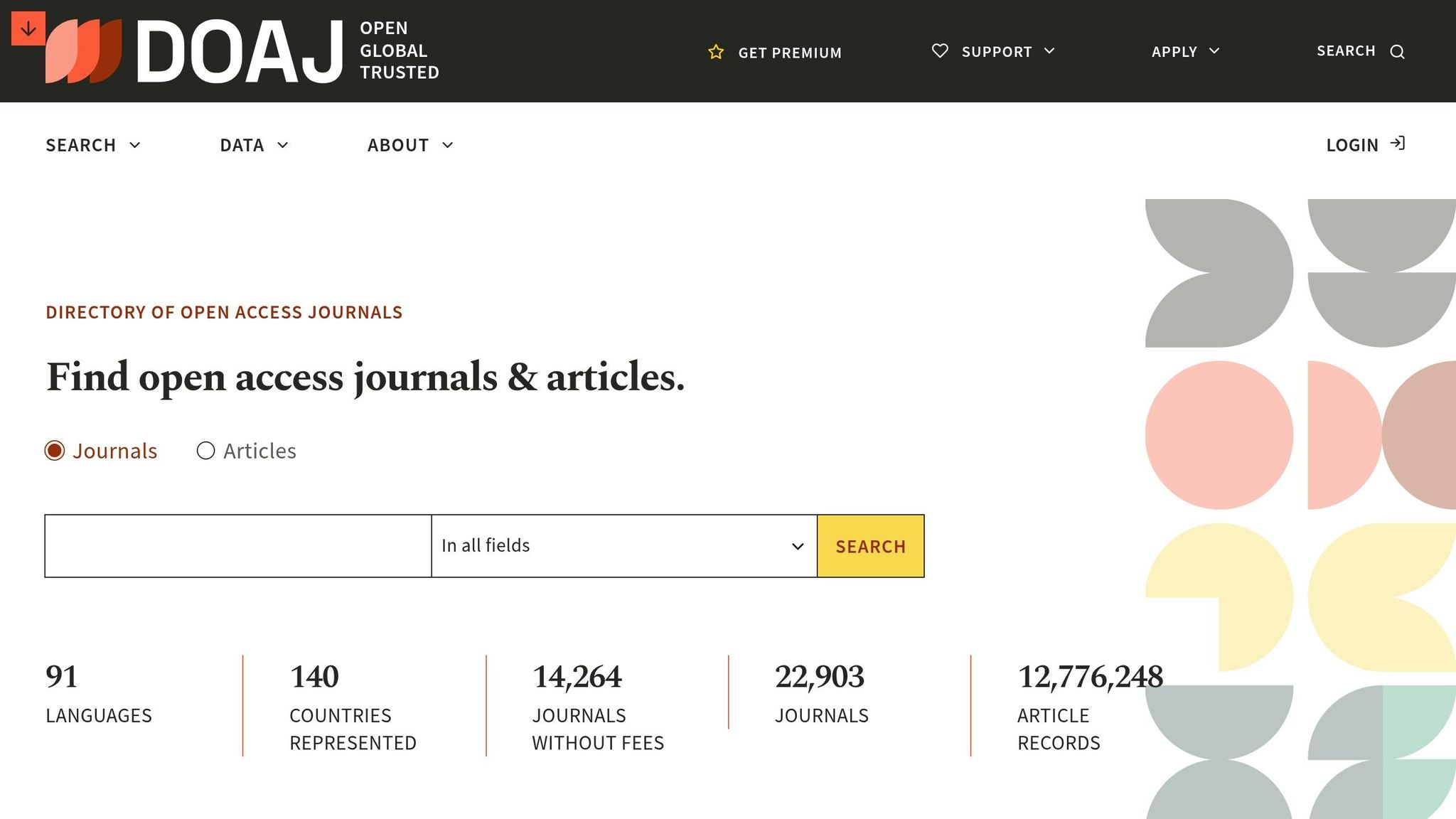
Good news: you don’t need an account to use DOAJ for research. All the search tools, filters, and journal categories are available without the hassle of signing up or logging in.
"DOAJ is open to use without logging in. You only need an account if you are submitting an application, if you have a journal in DOAJ or if you are a volunteer." - DOAJ
Accounts are only necessary for journal publishers, managing editors, or DOAJ volunteers. If you fall into one of these groups, you can register through the dedicated registration page on the DOAJ homepage. But if you’re a researcher or student, there’s no need to create an account - just head to doaj.org and start exploring. The homepage’s simple design makes it easy to dive into your research right away.
A Quick Look at DOAJ's Interface
The homepage is centered around a prominent search bar, perfect for running a basic keyword search. If you need more precision, advanced filters let you narrow results by discipline, language, license type, or country.
At the top of the page, the navigation menu provides direct access to essential sections like About DOAJ, How to apply (for publishers), and Support DOAJ. You’ll also find links to their blog, which shares updates on research integrity and tools such as the Publication Facts Label and Think. Check. Submit.. These resources are invaluable for verifying a journal’s credibility before citing it or submitting your work.
With support for 36 languages and teams based in 45 countries, DOAJ ensures it’s accessible to researchers all over the world.
sbb-itb-f7d34da
How to Search for Journals on DOAJ
Using the Basic Search
DOAJ provides two main search options: Journal Search for exploring publication details and Article Search for diving into individual papers. As of May 2026, the platform indexes over 12,776,227 open access articles.
The homepage search bar is straightforward - just enter natural language keywords, author names, or exact titles. To refine your search, you can use Boolean operators like AND, OR, and NOT. Enclose exact phrases in quotation marks, and use the wildcard * to account for variations or related terms. If your search yields limited results, try broadening your terms or using synonyms. Keep in mind that search results are influenced by the metadata provided by publishers, which may not always include complete abstracts or keyword fields.
After running a basic search, you can refine the results further using advanced filters for more precise outcomes.
Using Advanced Filters to Narrow Results
Once you've performed a basic search, advanced filters can help you zero in on the most relevant articles. These filters include options like Subject, Year, Language, License, and Country of Publisher.
"Filtration in DOAJ is a powerful tool to manage results, given its vast multidisciplinary scope." - Khadija Khatun, Author
The Subject filter organizes content using a hierarchical structure, allowing you to drill down from broad categories (like Science) to specific subfields (such as Biology > Biochemistry). The License filter is particularly helpful if you're looking for articles with specific reuse permissions, such as those under a CC BY license for commercial use. The Year filter is ideal for staying up-to-date in rapidly evolving disciplines like medicine or technology.
| Filter | Purpose |
|---|---|
| Subject | Focus on specific subfields within broader disciplines |
| Year | Find the most recent research |
| License | Identify articles with specific reuse permissions (e.g., CC BY) |
| Language | Limit results to a particular language |
| Country of Publisher | Filter by the journal's geographic location |
A good approach is to start with a broad keyword search, use the Subject filter to narrow your focus, and then apply additional filters like Year and Language to refine your results into a manageable list. This step-by-step process ensures you find the most relevant sources efficiently.
The Directory of Open Access Journals | Find Reputable OA Journals | Five Minute Friday
How to Check If a Journal Is Reliable
Once you've narrowed down your search, the next step is verifying the reliability of each journal. While inclusion in the DOAJ (Directory of Open Access Journals) is a good starting point, you’ll need to dig deeper to ensure the journal meets your standards.
How to Confirm a Journal Is Peer-Reviewed
Being listed in the DOAJ means a journal has passed essential quality checks. As Ohio State University's Research Commons explains:
"In order to be included, journals must apply and go through a rigorous evaluation. Being included in the DOAJ is one sign that a journal is reputable."
DOAJ-listed journals are required to conduct peer reviews with at least two independent reviewers. Details about the review process - whether it's single-blind, double-blind, or open - should be clearly mentioned on the journal's website. To verify, visit the journal's official site directly through the link provided in its DOAJ profile.
Another helpful marker is the DOAJ Seal, which is awarded to journals that exceed basic requirements and maintain high standards in open-access publishing. If you see this seal, it’s a strong indication of the journal’s commitment to transparency. Additionally, as of April 2026, DOAJ introduced a Publication Facts Label, offering detailed insights into a journal's publishing practices to help you evaluate its research integrity.
Once you’ve confirmed the peer review process, move on to assessing the journal’s academic influence.
How to Assess a Journal's Relevance and Impact
To determine if a journal carries academic weight in your field, check a few key factors. For instance, does the journal have a verifiable editorial board with at least five members who list their institutional affiliations? Is it indexed in major databases like Scopus, Web of Science, PubMed, or ERIC? These indicators suggest the journal is recognized by the academic community.
"Globally, DOAJ's criteria have become a gold standard for open access publishing." - DOAJ
You should also review the journal’s Aims & Scope to ensure your research aligns with its focus. Journals with a clear and consistent subject area are generally more reliable than those with overly broad or vague scopes. Be cautious of journals advertising "Impact Factors" from sources other than Clarivate (Journal Citation Reports) or Scopus (CiteScore), as DOAJ explicitly prohibits the use of misleading or fake ranking metrics.
| Reliability Indicator | What to Check |
|---|---|
| DOAJ Seal | Look for the seal on the journal's DOAJ profile |
| Peer Review | Ensure at least two independent reviewers; review type stated on the website |
| Editorial Board | Minimum of 5 members with verifiable institutional affiliations |
| Database Indexing | Listed in Scopus, Web of Science, PubMed, or ERIC |
| Impact Metrics | Trust only Clarivate or Scopus-sourced metrics |
| Publication Facts Label | Available on DOAJ entries starting in 2026 |
Using DOAJ Alongside Sourcely to Speed Up Research
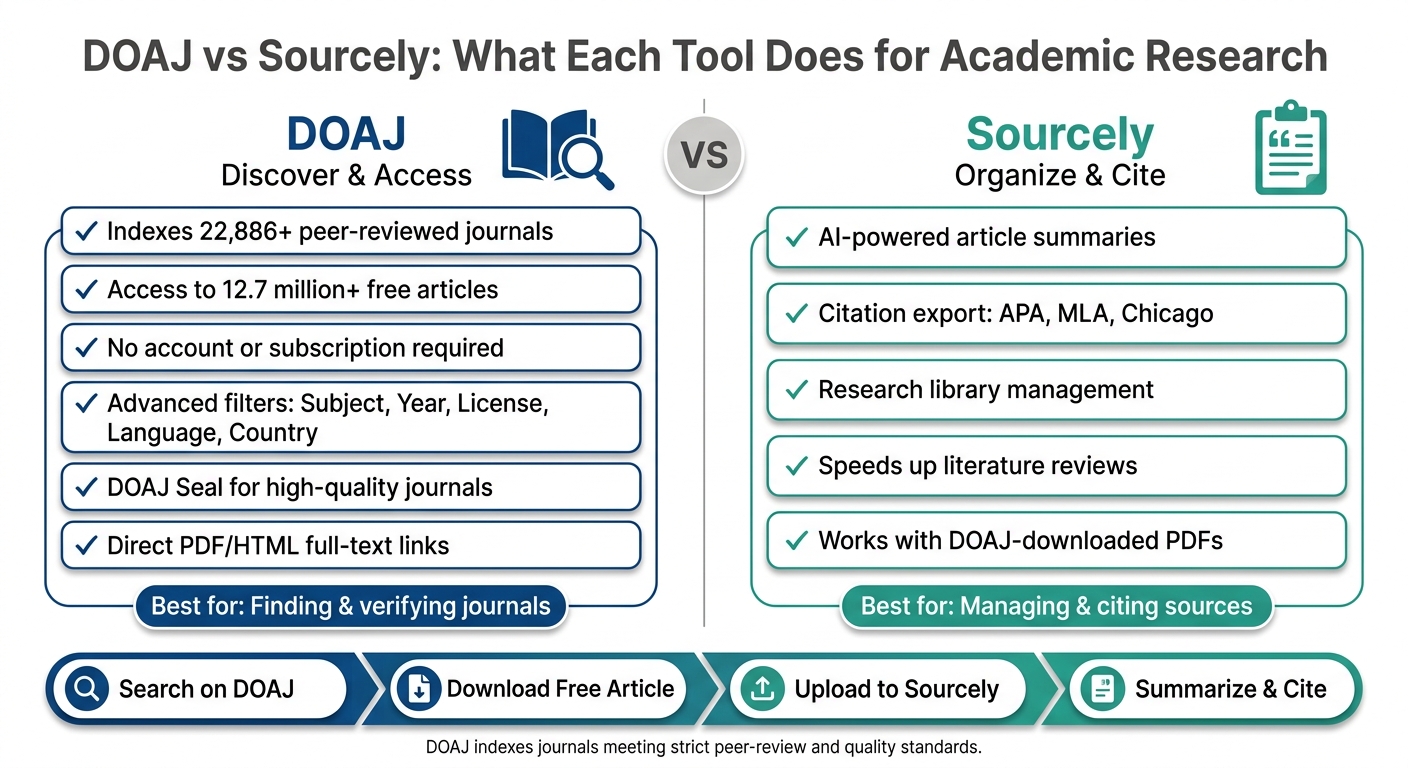
DOAJ vs Sourcely: What Each Tool Does for Academic Research
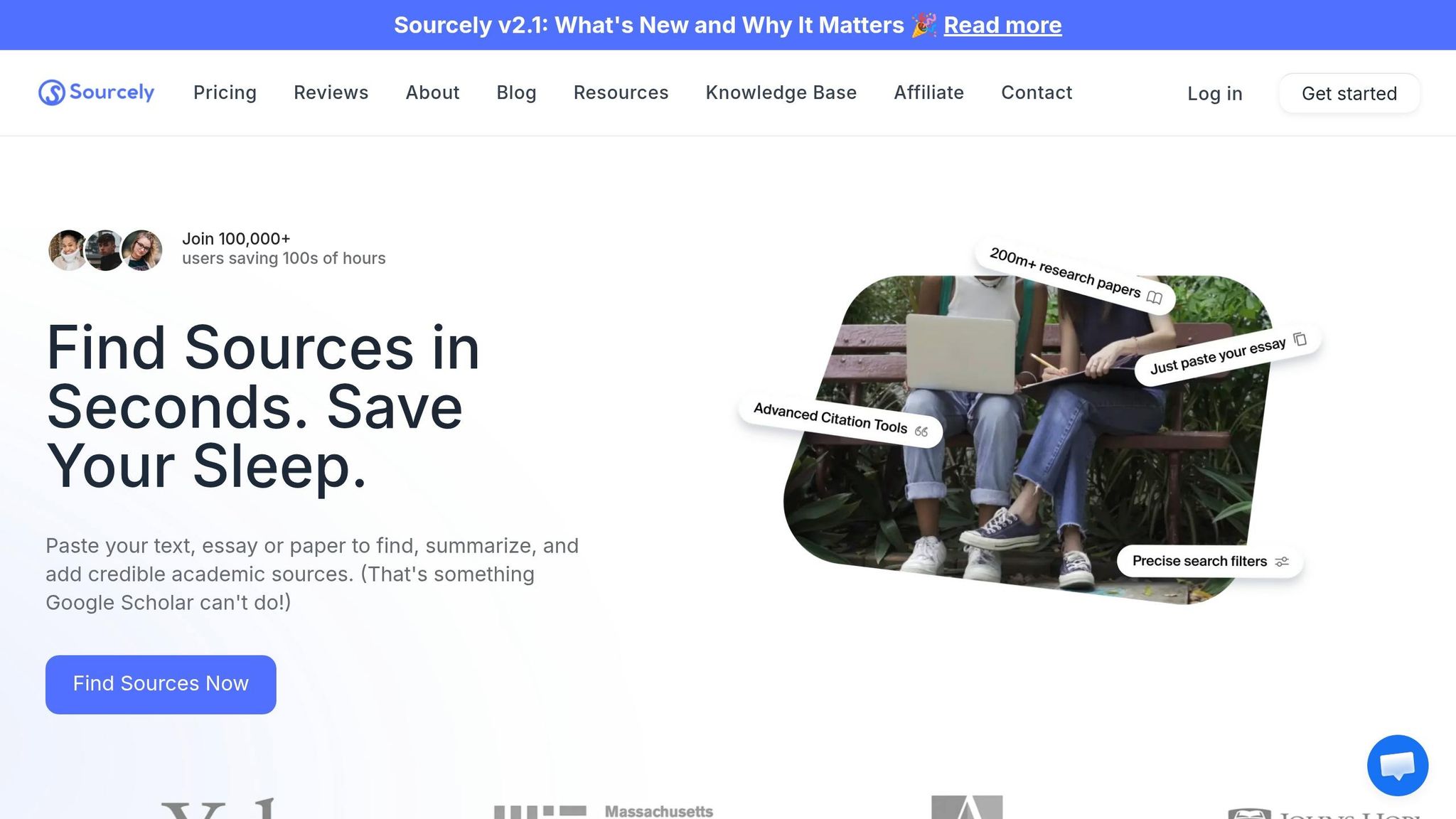
Once you've confirmed a journal's credibility, the next step is to access the articles you need and integrate them into your research. DOAJ simplifies access, and when paired with Sourcely's AI tools, it can save you a lot of time during literature reviews. Here's a breakdown of how to efficiently download articles and manage your research.
How to Download Articles from DOAJ
Every article listed in DOAJ comes with a unique URL that takes you directly to its full text, whether as a PDF or an HTML page hosted by the publisher. No subscriptions or logins are required. Simply visit the article's page on DOAJ, check its Creative Commons license, and download the PDF - it's ready for use.
How Sourcely Helps You Organize and Cite Sources
Once you've downloaded articles from DOAJ, Sourcely can help streamline the rest of your research process. While DOAJ is great for finding and accessing articles, it doesn't offer tools for managing your library or creating citations. This is where Sourcely steps in.
Upload your downloaded articles to Sourcely to get a quick summary of key findings and export citations in formats like APA, MLA, and Chicago. This can be a game-changer during literature reviews, especially when you're sifting through dozens of papers to determine their relevance.
One key reminder: DOAJ's policies state that generative AI cannot be cited as a source in your manuscript. Always credit the original scholarly article, not an AI-generated summary. Sourcely’s summaries are meant to assist with research, not replace proper citations.
By combining these tools, you can stay focused on your research while keeping your library organized and full of reliable sources.
| Task | DOAJ | Sourcely |
|---|---|---|
| Find peer-reviewed journals | ✓ Indexes 15,000+ journals | - |
| Access full-text articles for free | ✓ Direct PDF/HTML links | - |
| Summarize articles quickly | - | ✓ AI-powered summaries |
| Generate citations | - | ✓ Exports in multiple formats |
| Organize your research library | - | ✓ Source management tools |
Conclusion: Getting the Most Out of DOAJ for Academic Research
DOAJ is a go-to resource for researchers, offering access to over 22,886 open access journals and more than 12.7 million articles - all completely free, with no paywalls or account requirements. Its strict criteria for inclusion guarantee that every journal listed maintains a high standard of quality.
"DOAJ's mission is to increase the visibility, accessibility, reputation, usage and impact of quality, peer-reviewed, open access scholarly research journals globally, regardless of discipline, geography or language." - DOAJ
Think of DOAJ as a discovery tool rather than an all-in-one research platform. Its filters and credibility indicators make it easier to identify reliable, high-quality journals to support your academic work.
After finding your sources on DOAJ, managing them efficiently is the next step. Tools like Sourcely can help by simplifying citation generation and summarizing key points from open access PDFs. This saves time on manual tasks like note-taking and formatting.
FAQs
How do I find only CC BY articles in DOAJ?
To find CC BY articles in DOAJ, start by reviewing the licensing details provided for each journal or article. These details usually specify if a CC BY license is applied. Another option is to use the DOAJ API. You can filter by license type using the bibjson.license[].type field and set it to "cc-by" to narrow your search. Since DOAJ supports Creative Commons licenses, its metadata on licensing policies makes locating CC BY content straightforward.
What does the DOAJ Seal actually mean?
The DOAJ Seal is a mark of recognition given to journals that uphold rigorous standards in openness and publishing quality. To earn this certification, journals must adhere to key best practices. These include using DOIs (Digital Object Identifiers), embedding machine-readable Creative Commons licenses, ensuring content is preserved through digital preservation programs, and permitting authors to retain their copyright without any restrictions.
Why can’t I find a paper’s full text in DOAJ sometimes?
While the Directory of Open Access Journals (DOAJ) emphasizes listing journals that adhere to open access and quality guidelines, not every article indexed in DOAJ is freely accessible. Some articles might still be restricted behind paywalls or unavailable due to specific publisher limitations.