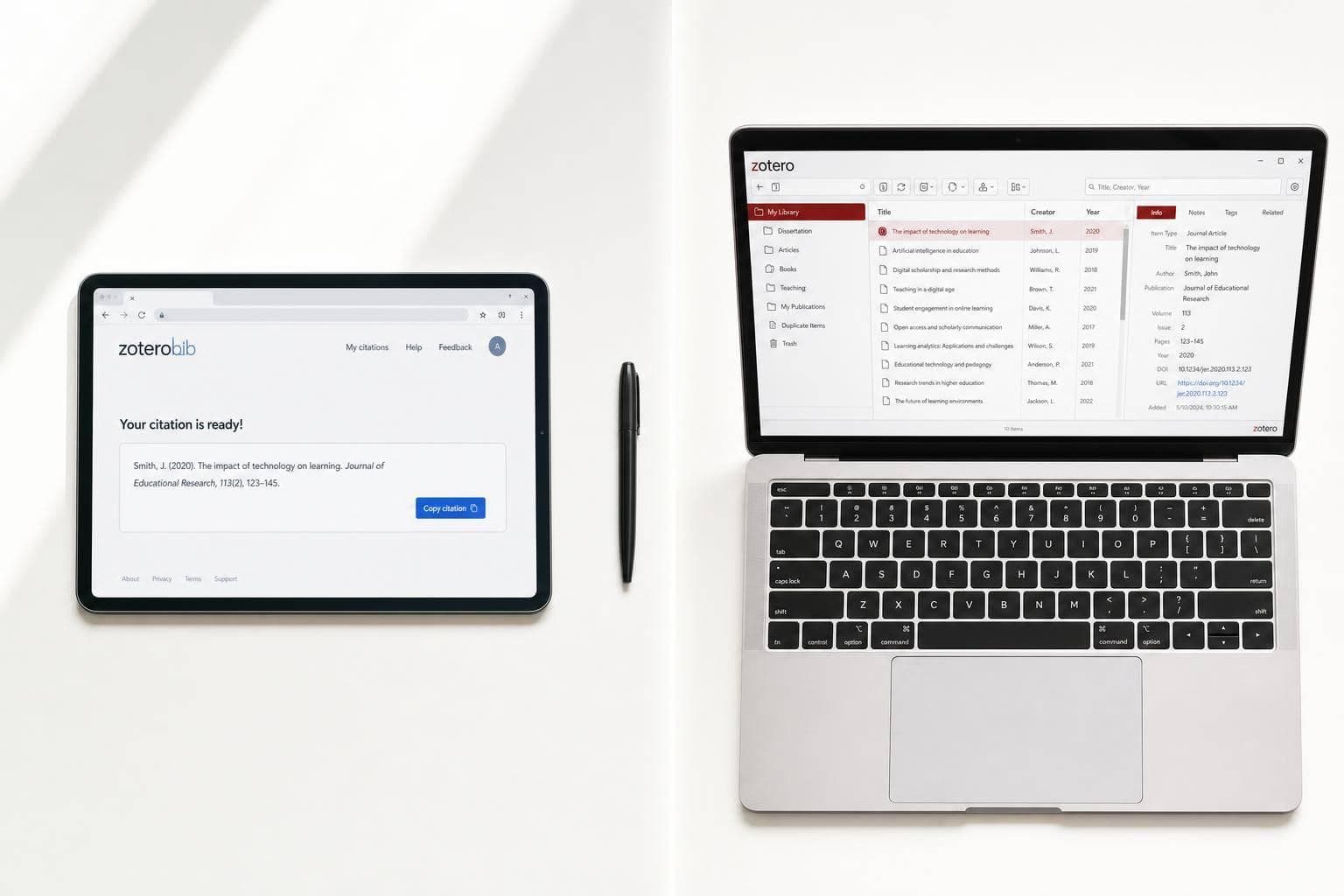
ZoteroBib vs Zotero: Which One Do You Actually Need?
If I only need citations for one short paper, I’d use ZoteroBib. If I need to store sources, keep PDFs, and cite while I write over weeks or months, I’d use Zotero.
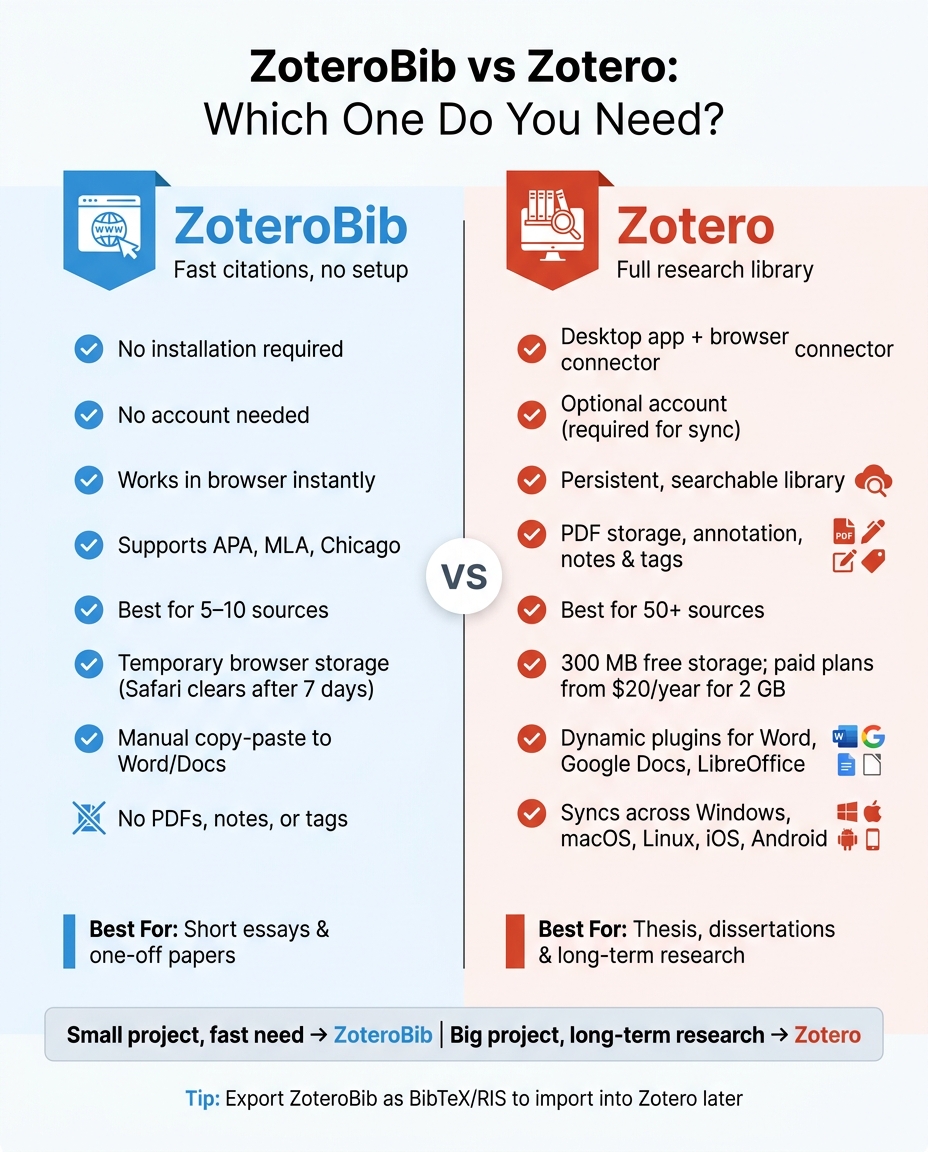
Here’s the short version:
- ZoteroBib = browser-based citation generator for one-off use
- Zotero = desktop reference manager for long projects
- ZoteroBib needs no install and no account
- Zotero needs setup, but it gives me a library, PDF storage, notes, tags, and writing plugins
- ZoteroBib data may disappear if I don’t save the link, especially on Safari after 7 days
- Zotero includes 300 MB free storage, with paid plans from $20/year for 2 GB
If I’m working with 5 to 10 sources, ZoteroBib is often enough. If I’m dealing with 50+ sources, writing a thesis, or reusing research across papers, Zotero is the better fit.
Bottom line: ZoteroBib is for making citations. Zotero is for running a research library.
ZoteroBib vs Zotero: Side-by-Side Comparison
Zotero and ZoteroBib
sbb-itb-f7d34da
Quick Comparison
| Criteria | ZoteroBib | Zotero |
|---|---|---|
| Main use | One paper, small bibliography | Long-term research and writing |
| Setup | None | Install app, connector, and plugin |
| Account | No | Optional, but needed for sync |
| Storage | Browser local storage | Synced library |
| PDFs | No | Yes |
| Notes and tags | No | Yes |
| Word/Google Docs | Manual copy-paste | Citation plugins |
| Best for | Short essays | Thesis, dissertation, research projects |
So if I want fast and simple, I’d pick ZoteroBib. If I want control over lots of sources, I’d pick Zotero.
What ZoteroBib Is Best For
ZoteroBib is best when you need a bibliography fast and don't want to set up a full research tool first.
It's free, has no ads, and doesn't lock citation styles behind a paywall. It also supports the big formats most students and writers need, including APA, MLA, and Chicago. As the Zotero team puts it:
"If you just need to create a one-off bibliography for a paper, ZoteroBib is the quickest and easiest way to do it." - Zotero Team
How ZoteroBib Works for a Single Paper
The process is simple. Paste in a DOI, ISBN, URL, or title, and ZoteroBib builds the citation for you. Then you check the entry, fix anything that looks wrong, and move on to the next source. When you're finished, you can copy or export the full bibliography.
It also helps with parenthetical citations or footnotes for specific page ranges, which is handy when you're writing and need something you can drop straight into the paper.
That said, don't copy entries blindly. It's smart to review the pulled metadata before using it. Some sources need small fixes, like changing title case to sentence case in APA.
Where ZoteroBib Falls Short
ZoteroBib is a convenience tool, not a full research system.
The big limit is storage. It has no persistent library, so your bibliography stays in your browser's local storage unless you save it using a "Link to this version" URL. On Safari for macOS and iOS, local storage for sites you haven't visited in 7 days is cleared automatically, which means unstored ZoteroBib data can disappear.
It also doesn't keep PDFs, notes, tags, or folders. So if your project starts small but then turns into something much bigger, like a thesis with 50+ sources, ZoteroBib starts to feel pretty thin. For a short essay, it's great. For anything more involved, you'll probably want the other tool instead.
What Zotero Is Best For
Zotero makes more sense when your sources need to stick around after a single paper. It’s an open-source reference manager built for long-term research. That makes it a good match for students working on a thesis, researchers juggling dozens of sources, and anyone who wants a permanent, searchable library. It’s free and open-source.
The main workflow is simple: save from your browser in one click. Install the Zotero Connector, then save citations and PDFs straight from journal pages. After that, you can sort sources into collections, use tags to connect topics, add your own notes, and highlight inside PDFs with the built-in reader.
How Zotero Supports Long-Term Research
This is where Zotero starts to pull ahead. Once a project gets messy, with piles of articles, books, and notes, Zotero gives you room to keep things under control. It handles nested collections, tags, and source grouping well, which makes it a strong pick for a thesis, dissertation, or any long project.
When it’s time to write, the plugin for Word, Google Docs, or LibreOffice lets you add in-text citations as you go. It also updates the bibliography on its own whenever you add or remove a source.
Zotero syncs across Windows, macOS, Linux, iOS, and Android, so your library moves with you from one device to another. The free plan includes 300 MB of file storage, and paid storage starts at $20/year for 2 GB.
Setup and Workflow Tradeoffs With Zotero
Zotero does take more work at the start. Plan for about 20 minutes to install the desktop app, browser connector, and word processor plugin. There’s also a short learning curve, especially with collections and sync settings.
It’s also smart to double-check imported author names and journal titles before you submit anything.
That extra setup is the line between a fast citation helper and a full research system.
ZoteroBib vs. Zotero: Key Differences That Matter
Now that the setup and workflow are clear, here’s the comparison that usually makes the choice pretty easy.
The core difference is straightforward: ZoteroBib is for one-off citation jobs, while Zotero is for research you keep coming back to. ZoteroBib is built for the first kind of work. Zotero is built for the second.
Setup, Features, and Workflow Side by Side
ZoteroBib opens in a browser tab and works right away. There’s no account to make and nothing to install. Zotero takes more setup: you install the desktop app, add the browser connector, and use plugins for your word processor.
There’s also a big gap in how each tool stores your work. ZoteroBib uses browser storage, which means unsaved citations can vanish. Zotero keeps a synced library you can return to later.
Those differences show up fast in day-to-day use.
| Feature | ZoteroBib | Zotero |
|---|---|---|
| Installation | None (web-based) | Desktop app + browser connector |
| Account required | No | Optional (required for syncing) |
| Source library | Temporary browser storage | Persistent, searchable database |
| PDF handling | None | Save, rename, and annotate PDFs |
| Notes & tagging | No | Yes |
| Word processor integration | Manual copy-paste | Dynamic plugins with auto-updating bibliography |
| Reuse across projects | No | Yes |
| Best-fit user | Student writing a short essay | Thesis writer, PhD student, researcher |
The biggest split isn’t just how you make a citation. It’s what happens after that citation exists.
Which Tool Fits Which Academic Scenario
If you’re writing a short essay, ZoteroBib is often all you need. You paste in a DOI, copy the finished citation, and keep moving. It’s simple, fast, and doesn’t ask you to manage a library you may never use again.
If you’re working on a thesis or juggling research across more than one project, Zotero makes more sense. Its plugins for Word, Google Docs, and LibreOffice insert in-text citations and update the bibliography as you add or remove sources. Sync helps keep your library the same across devices. Group libraries also help when your work stretches across teams or separate projects.
So the choice comes down to one thing: match the tool to the length and scope of your research.
Which One Do You Actually Need?
Now that the difference is clear, the choice mostly comes down to how you work day to day. Think about three things: how big the project is, how long it will last, and whether you need a source library you can come back to later.
A Simple Rule for Choosing Between the Two
Here’s the fast way to decide.
Use ZoteroBib if you only have a small list of sources and probably won’t need those references again. There’s one practical catch: if you use Safari or iOS, ZoteroBib’s browser storage can get wiped after 7 days of inactivity. So it’s smart to save a permanent link with “Link to this version”.
Use Zotero if you’re dealing with dozens of sources, writing a thesis or dissertation, or need to save and annotate PDFs over several weeks or months. Its plugins for Word, Google Docs, and LibreOffice add in-text citations for you, and your library syncs across devices.
If a small project starts to snowball, you’re not stuck. You can export a ZoteroBib bibliography as a BibTeX or RIS file, then import it into Zotero later.
Key Takeaways
ZoteroBib is the faster pick for one paper. Zotero makes more sense for long-term research, bigger source lists, and any project you expect to reuse.
FAQs
Can I start with ZoteroBib and switch to Zotero later?
Yes. If your needs change, you can move from ZoteroBib to Zotero.
ZoteroBib is built for one-off bibliographies, not long-term storage. If your project gets bigger, export your bibliography as a BibTeX or RIS file and import it into Zotero.
That way, you can start fast without creating an account, then switch later when you need stronger research management tools.
Do I need a Zotero account to use Zotero?
You do not need a Zotero account to use ZoteroBib. It runs in your browser as a standalone tool, so there's no account setup and no software to install.
For the full Zotero desktop software, a free Zotero account is needed if you want to manage a research library, sync sources across devices, or take part in the Zotero community forums.
Will ZoteroBib save my citations if I come back later?
Yes. By default, ZoteroBib saves your citations in your browser’s local storage. So if you come back later using the same browser on the same device, your citations are usually still there.
That said, this storage isn’t permanent. Your citations can disappear if you clear your browser data, use private browsing, or rely on some mobile browsers.
If you want a safer way to keep your bibliography, use Link to this version. That saves your bibliography for at least six months.