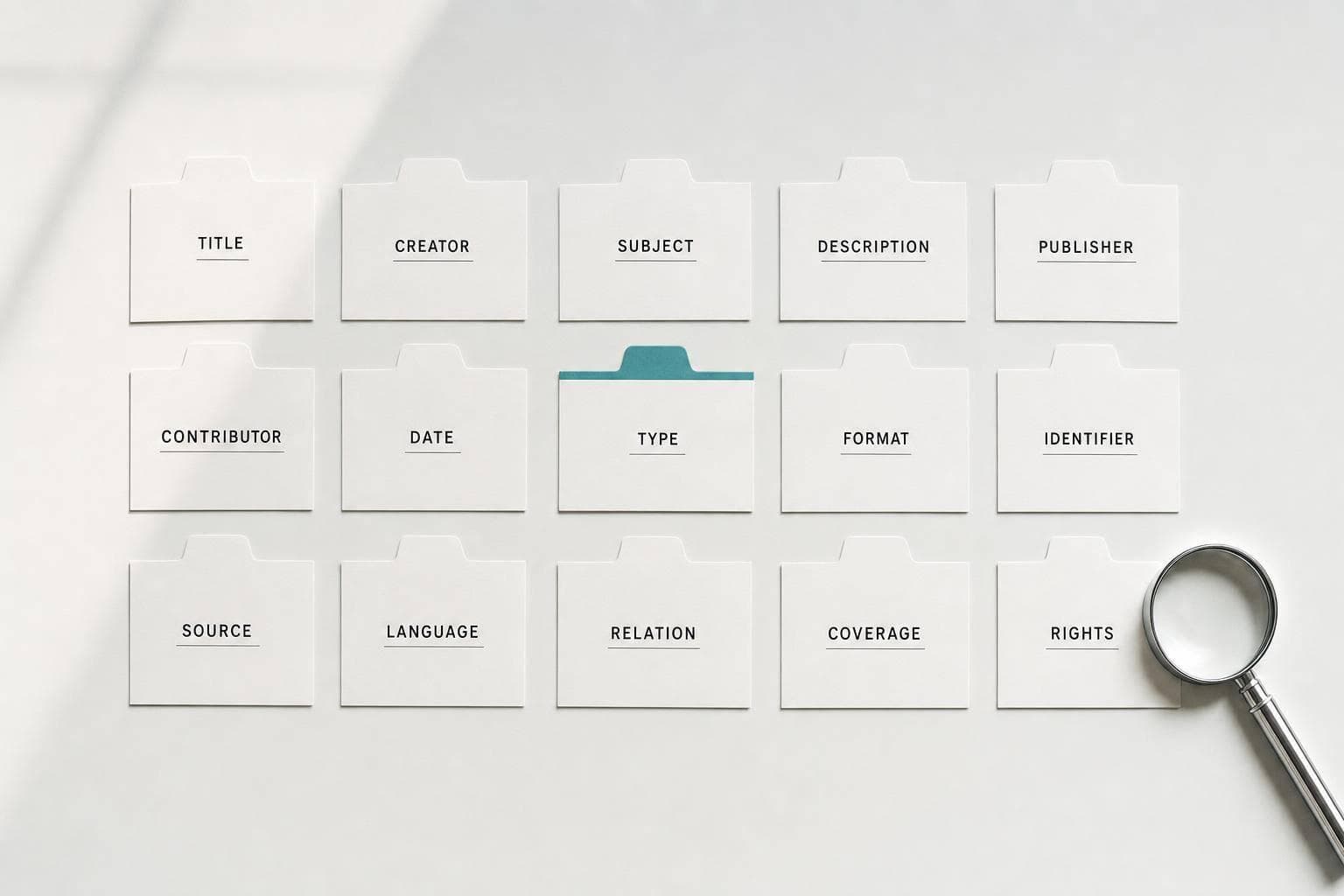
Dublin Core Metadata Explained: The 15 Elements Every Researcher Should Know
If you know just 6 Dublin Core fields - Title, Creator, Subject, Date, Type, and Identifier - you can find sources with less guesswork and catch many citation mistakes early.
I’d sum up the article like this: Dublin Core is a 15-field metadata standard used by repositories, databases, and citation tools to describe research items in a consistent way. Each field has a plain job, from naming a work (Title) to linking it to a DOI (Identifier) or stating license terms (Rights). Because all 15 elements are optional and repeatable, one record can describe journal articles, books, theses, datasets, and more.
Here’s the short version of what matters most:
- Dublin Core has 15 core elements
- Simple Dublin Core is the flat version most researchers see
- Repositories often expose it through OAI-PMH as
oai_dc - Dates usually follow ISO 8601 like
2026-07-25 - Languages often use ISO 639 codes like
en - File formats often use MIME types like
application/pdf - Stable IDs such as DOIs, ISBNs, URIs, and Handles matter more than local record numbers
What I’d pay attention to first:
- Title: Is it the formal title?
- Creator: Is the author name in the right order?
- Date: Is it the publication date, not the study period?
- Coverage: Does it describe place or time scope instead?
- Type: Is it a
Text,Dataset, or something else? - Identifier: Is there a DOI, ISBN, or URI?
- Rights: Is there a full license link, not just “CC-BY”?
A simple but useful point from the article: metadata shapes search results, filters, exports, and citations even when you never see the raw record. So when a repository lets you sort by year, filter by language, or open a DOI, Dublin Core-style fields are often doing that work in the background.
Dublin Core Metadata Standard Explained !
Quick Comparison
| Area | What the article says | What I’d check |
|---|---|---|
| Core structure | 15 optional, repeatable elements | Whether the record fills in the main fields |
| Simple vs. Qualified | Simple is the basic 15; Qualified adds refinements and 3 extra elements | Whether a system shows only base fields or more detail |
| Discovery | Fields support search, filters, and indexing | Title, Subject, Date, Type |
| Citation | Clean metadata lowers citation mix-ups | Creator, Date, Identifier, Relation |
| Reuse | Rights data tells you what you can do with the item | Full license URI |
| Context | Coverage, Source, and Relation add background | Study period, place, source item, published version |
So if I were using this article as a working guide, I’d treat Dublin Core less like library jargon and more like a checklist for finding, checking, and sorting sources.
All 15 Dublin Core Elements Explained
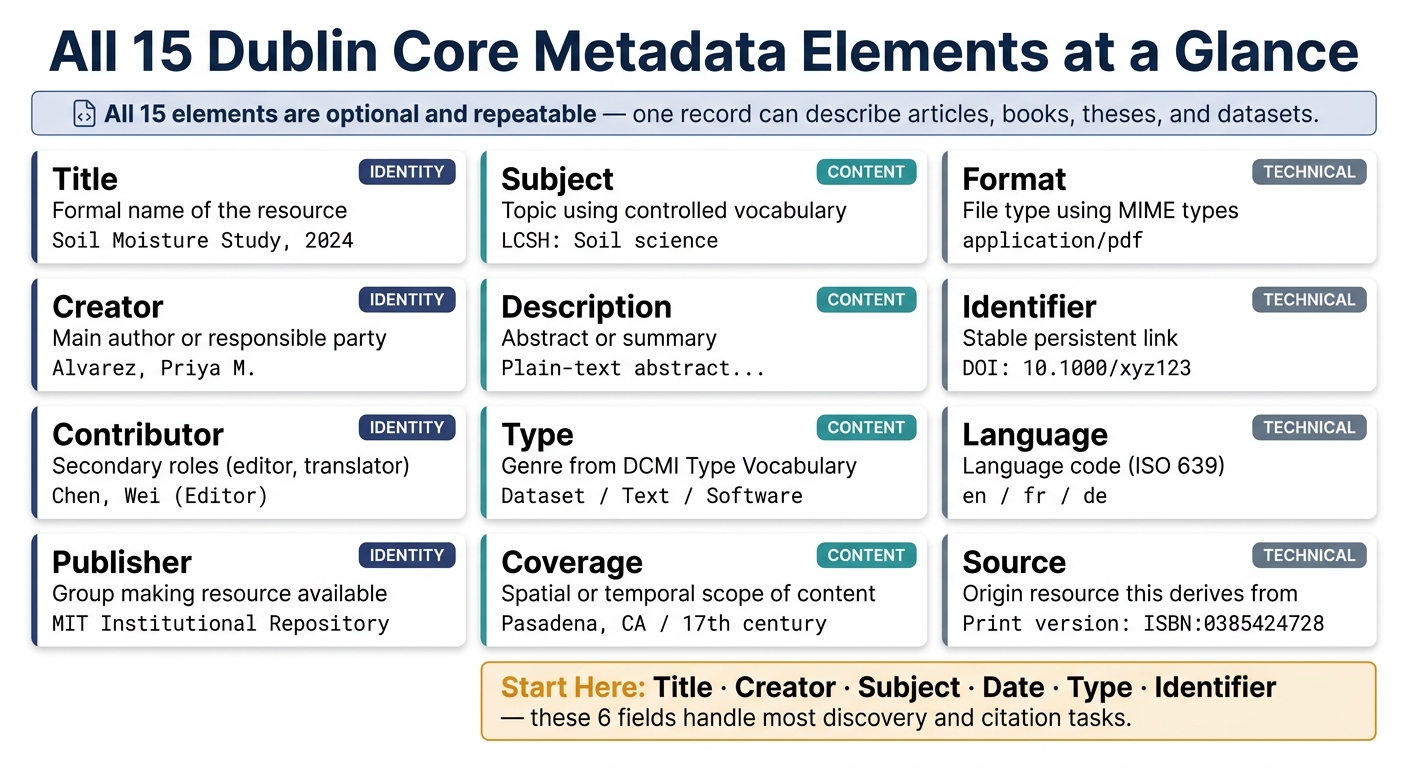
All 15 Dublin Core Metadata Elements: Quick Reference Guide
All 15 elements are optional, and each one can be repeated. So a single record can include more than one creator, subject, or identifier. These are the fields most researchers run into in repository records, citation exports, and search filters.
Title, Creator, Subject, Description, Publisher, Contributor, and Date
Title is the formal name of the resource. If a work has more than one title, repeat the element instead of stuffing multiple titles into one field. Creator names the main person or group responsible for the content. For people, use the format Family, Given - Alvarez, Priya M.. For organizations, list the hierarchy from largest to smallest, like Massachusetts Institute of Technology. Department of Civil Engineering.
Subject describes what the resource is about, and it plays a big role in search relevance. Controlled vocabularies like Library of Congress Subject Headings (LCSH) or Medical Subject Headings (MeSH) help keep records easy to find, even when people search with different terms. Description usually holds an abstract or short summary. Plain text works best because search systems can index it more easily.
Publisher names the group making the resource available, such as a press or an institutional repository. If the creator and publisher are the same organization, don’t repeat the name in the Publisher field. Contributor covers secondary roles, such as editors, translators, or illustrators, who are not the main author. Date records the publication or deposit date. Use ISO 8601 format: YYYY-MM-DD. If the exact day isn’t known, use YYYY-MM or just YYYY.
At that point, the next practical issue is simple: where do these fields show up in actual research systems?
Type, Format, Identifier, Source, and Language
Type tells you the genre of the resource by using the DCMI Type Vocabulary. Use controlled terms like Text or Dataset. Format describes the digital or physical form by using MIME types such as application/pdf, text/csv, or image/gif. That gives researchers a quick way to see whether they have the right software to open the file.
Put together, these fields tell you what a file is and how it should be cited.
Identifier is the stable reference used for retrieval and citation. A DOI, ISBN, or URI is better than an internal database key or a local file name. Source points back to the resource the current item came from. For instance, a digitized thesis might link to its print version as Print version: ISBN:0385424728. Language uses ISO 639 codes like en and fr, which makes language filtering more exact.
Relation, Coverage, and Rights
Relation connects a resource to other items. In Qualified Dublin Core, it can be refined with values such as IsVersionOf, HasFormat, IsPartOf, or References. That lets you link an article to its dataset, or a conference paper to the proceedings volume it belongs in. Coverage describes the spatial or temporal scope of the content, not the publication date. So values like Pasadena, CA or 17th century fit here, and place names often come from the Getty Thesaurus of Geographic Names (TGN).
That difference between Date and Coverage matters more than it may seem. A dataset published on 2026-01-15 might cover soil moisture readings from January 2024–December 2025.
Rights states what a reader can legally do with the resource. Instead of listing only CC-BY, best practice is to include a resolvable URI for the exact license version, such as https://creativecommons.org/licenses/by/4.0/, so the terms are clear and specific.
These fields don’t always look the same across repositories, citation exports, and search tools.
sbb-itb-f7d34da
Where Researchers Encounter Dublin Core in Practice
Most researchers never look at a raw Dublin Core record. But they run into it all the time in the background. It’s there when they filter search results by year or language, open a DOI, or check whether a thesis is available in English. You usually notice it through repository pages and search filters, not by name.
How Repositories Use Dublin Core for Papers, Theses, Books, and Datasets
Institutional repositories create Dublin Core records behind the deposit form when researchers submit papers, theses, and datasets. Fields such as Title, Creator, Description, and Date map straight to Dublin Core elements. Repositories then expose those records through OAI-PMH, which makes them available to harvesters and discovery indexes.
You can see the effect on item pages and in search tools. Title and Creator show up as the title and author fields in search results. Date powers year filters and chronological sorting. Type supports document-type filters, so a researcher can narrow results to Dataset or Text. Identifier - usually a DOI or Handle - gives the persistent link used for citation and access.
There’s also a small but important cataloging point here: a digitized thesis and a print thesis should have separate records. Then those records can be linked with Relation or Source. That helps automated systems tell apart different manifestations of the same work instead of mixing them together.
Once these fields start driving discovery, they also affect how researchers check citations and sort sources.
How Sourcely Uses Structured Metadata
Sourcely relies on structured metadata to surface relevant sources, narrow searches, and export references. Fields like Date, Language, Type, and Identifier make those tasks possible. The same fields also help researchers verify citations and keep sources organized with less friction.
Using Dublin Core in Day-to-Day Research
Once the elements are clear, the next job is putting them to work. In practice, Dublin Core helps you check citations before they go wrong and trim away bad search results before they eat up your time.
Metadata Checks That Prevent Citation Problems
Before you save a source, take a quick look at Title, Creator, Date, Coverage, and Identifier. That short check can save you a lot of cleanup later.
Match the formal title. Confirm the author format. Keep publication date separate from topical coverage. Then make sure the identifier is a DOI, ISBN, or URI. If an author's name is entered in the wrong order, reference managers can split one person into duplicate entries. The same fields also help you sort useful sources from plain noise.
Using Dublin Core Fields to Filter and Organize Sources
These fields aren't just labels sitting in a record. They're practical search and sorting tools.
For day-to-day research, a few fields do most of the heavy lifting as filters and cross-checks.
| Element | How to Use It | What It Prevents |
|---|---|---|
| Type | Filter by Dataset, Text, or Software |
Filtering out irrelevant formats |
| Date | Sort chronologically using YYYY-MM-DD |
Confusing deposit date with publication date |
| Coverage | Find sources about a time period or place | Misreading a study's scope as its publication year |
| Relation | Locate published versions of preprints | Citing an outdated draft in a final bibliography |
| Rights | Confirm a resolvable URI to the license text | Reusing figures or data without clear permission |
Use Type to narrow results to Dataset, Text, or Software. Use ISO 639 codes like en to keep results limited to sources you can read. Sort by Date in ISO 8601 format if you want your literature review in chronological order. Use Coverage when you're looking for papers about a certain historical period or place, not papers published during that period.
Check Relation before you lock in a citation. That's often where you'll spot that a preprint has a published version, which helps you avoid citing an old draft. For Rights, "CC-BY" by itself isn't enough. Use the license URI to check the reuse terms in plain detail.
Conclusion: Which Dublin Core Elements Matter Most
After breaking down each element, the practical question is simple: which fields should you care about first? Start with Title, Creator, Subject, Date, Type, and Identifier. These do most of the heavy lifting for discovery and citation. The other fields help narrow results, support reuse, and add context.
Standardized metadata improves field-based search, indexing, and access to record data.
The table below pulls the full set into a quick research reference.
| Element | Discovery use | Typical standards or vocabularies | Common errors |
|---|---|---|---|
| Title | Primary recognition | Free text | Too generic or lacks version info |
| Creator | Authorship and responsibility | Family, Given format | Inconsistent name forms; missing ORCIDs |
| Subject | Topic-based searching | LCSH, MeSH, FAST | Using free text instead of controlled terms |
| Date | Citation accuracy; version tracking | ISO 8601 (YYYY-MM-DD) | Confusing collection date with deposit date |
| Type | Filtering by genre | DCMI Type Vocabulary | Using non-standard, invented categories |
| Identifier | Persistent retrieval and linking | DOI, URI, ISBN, Handle | Using internal or local database keys |
| Description | Relevance assessment | Free text (full sentences) | Including HTML tags or being too brief |
| Publisher | Identifying the hosting entity | Organization name | Listing a department instead of the repository |
| Contributor | Recognizing secondary roles | Family, Given format | Ambiguity between Creator and Contributor |
| Format | Technical compatibility check | MIME types (e.g., application/pdf) | Missing file size or specific software requirements |
| Source | Tracking provenance and derivation | DOI or formal citation | Omitting the link to the original raw data |
| Language | Filtering by linguistic content | ISO 639-2 or 639-3 | Spelling out language names (e.g., "English") |
| Relation | Linking related works | DOI or URI | Leaving blank, making connections invisible |
| Coverage | Spatial and temporal research scope | TGN (Thesaurus of Geographic Names) | Vague geographic terms (e.g., "Site 4") |
| Rights | Determining reuse and access permissions | Creative Commons URIs | Naming a license without a version or link |
Once you understand what each element does, you start searching differently. You can filter results with more control, spot citation issues before they snowball, and keep your sources organized across repositories and tools like Sourcely. That’s the payoff here: Dublin Core stops being just a description framework and becomes a hands-on research tool.
FAQs
When should I use Coverage instead of Date?
Use Date for events in the resource’s own lifecycle, like when it was created, issued, or modified. Use Coverage for the content’s spatial or temporal scope - in plain English, what the resource is about.
Here’s a simple way to think about it: Date tells you when the resource happened as an item. Coverage tells you when or where the subject matter happened.
For example, if a dataset was collected during 2024–2025 but deposited in 2026, put 2024–2025 in Coverage and 2026 in Date.
What makes an Identifier reliable for citation?
A good Identifier should be a persistent, resolvable identifier like a DOI or handle, not just an internal database key or file name.
The point is simple: someone should be able to use that Identifier to find and reference the resource outside the system where it started. That’s why it should follow a formal identification system, such as an ISBN or URI.
If you need to use local identifiers, make the system clear. That helps keep records consistent and makes searching more accurate.
How do I tell Simple from Qualified Dublin Core?
Simple Dublin Core uses the 15 basic metadata elements for broad, general-purpose discovery.
Qualified Dublin Core builds on that base by adding three elements - Audience, Provenance, and RightsHolder. It also uses qualifiers to make elements more specific, like Date Created or Date Modified instead of just Date.
The key point is that it stays backward compatible through the Dumb-Down Principle. In plain terms, if a system can't read the added detail, it can still fall back to the broader Dublin Core element.